
Fresh off CES 2026, I got the chance to check out MSI’s new Prestige 14 Flip laptop sporting one of Intel’s new Panther Lake chips.
The Prestige 14 sports a lot of interesting features, from the ability to fold 360 degrees into a tablet, to the stylus that can be stashed securely underneath. But the headline feature, of course, is the new Intel chip.
Intel arranged for me to test out the Prestige 14 and sent me a version of the laptop sporting the company’s Core Ultra X7 358H chip. For context, the Ultra X7 sits near the top of Intel’s Panther Lake line. And while I’d love to really dig into the new chip here, the unfortunate reality is that I haven’t had the Prestige 14 long enough to make a fair judgment.
With that said, I’m going to focus on some of the laptop’s other features in this hands-on and save the new Intel chip for a broader assessment in the coming weeks. For now, I’ll just say the initial impressions are good, with performance being pretty solid overall. The bigger question for me, however, is battery life, and that needs a bit more time to figure out.
Boring flexibility
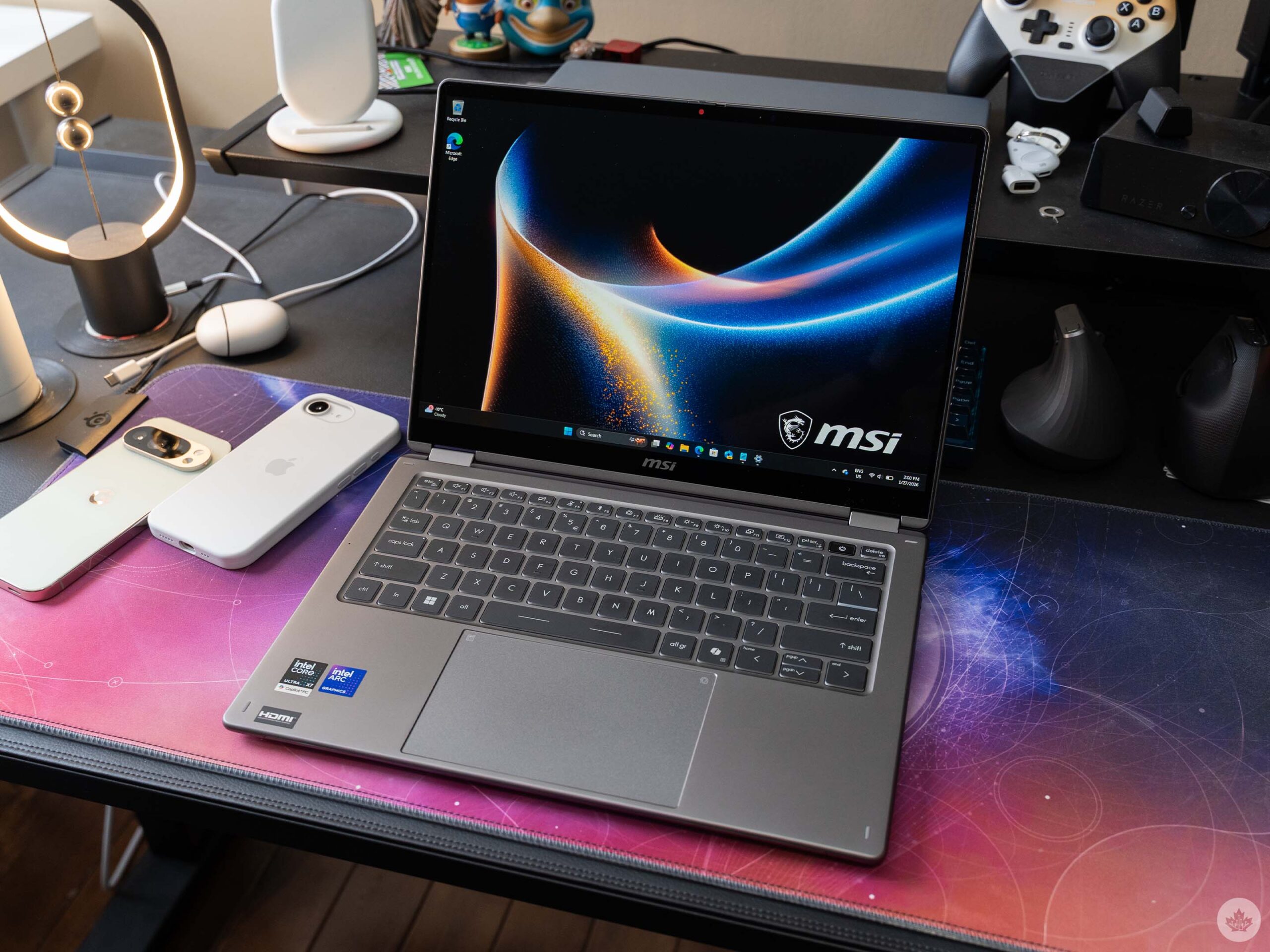
The Prestige 14 isn’t exactly the most exciting laptop out there. That’s not entirely a bad thing — the Prestige is aimed more toward professionals, so a more subtle design is expected. I always appreciate when a brand does a little more with its hardware. The Prestige plays it safe with a boring grey aluminum alloy chassis with rounded edges that are comfortable to hold. I do like the lid, which sports a unique, shimmery MSI logo, but that’s about where my praise ends for the design.
On the inside, things are a little more grim. The display lives in a chunky frame with larger bezels than I’d like. The display itself is pretty solid, a 14-inch 60Hz OLED panel with a 1920×1200 pixel resolution. It looks pretty good and offers solid colours, so no complaints here.
Beneath the display is a very standard laptop keyboard with a serviceable backlight. However, the typing experience is subpar, with the keys offering minimal tactile feedback and a little too much travel for my taste. You can type on it, but it’s not the best.
Smudge-resistant input
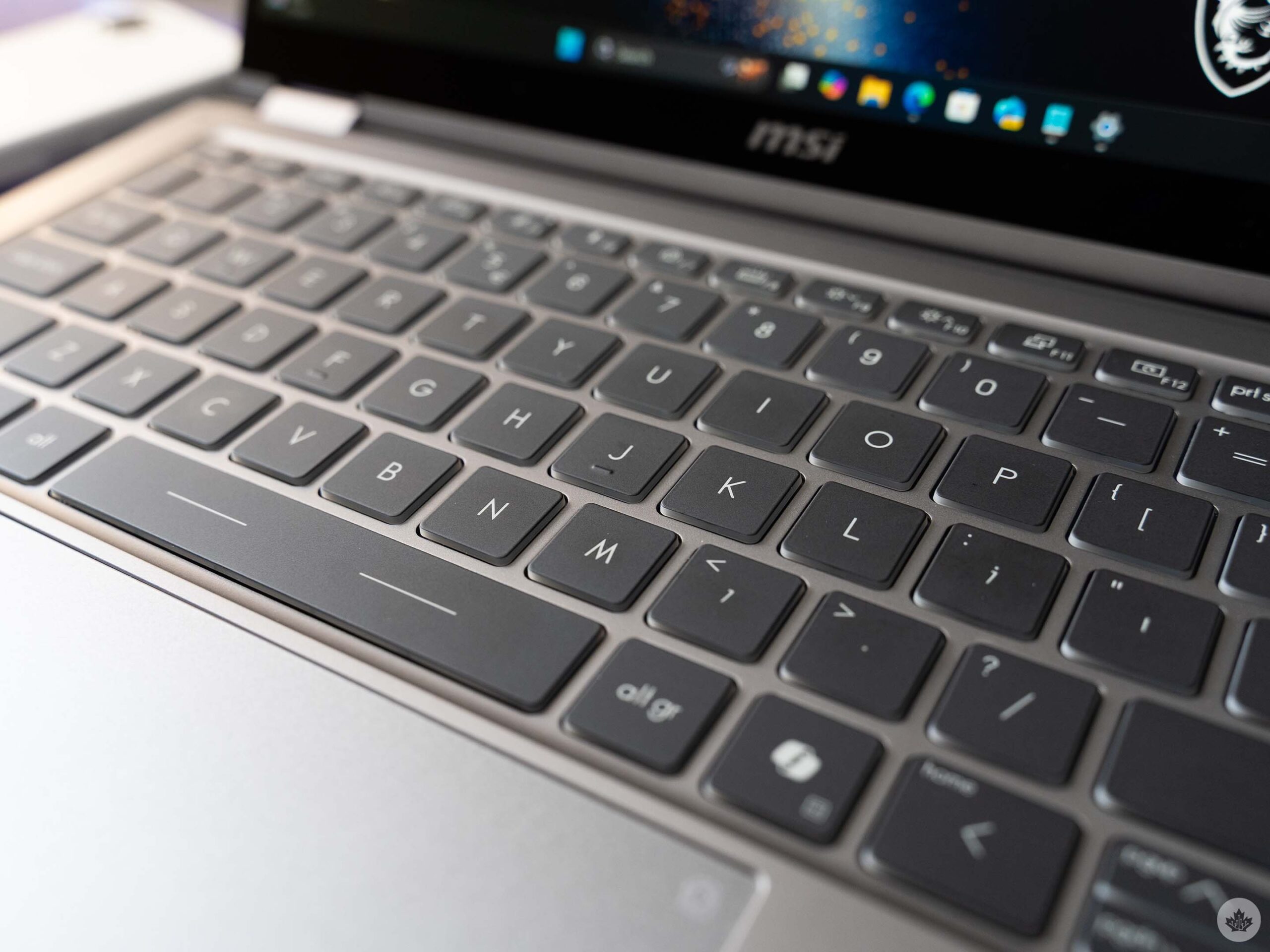
One upside is the smudge resistance. MSI says the keycaps are UV-cured to help resist fingerprints and smudges. So far, that’s proved true, but I haven’t used the Prestige 14 long enough to fully judge that. And not just for the keyboard, but the track pad too — even after a lot of use, I can only see finger smudges on the track pad when I look from just the right angle.
Speaking of the trackpad, MSI offers what it calls an ‘Action Touchpad.’ In other words, it supports some gestures and shortcuts, such as double-tapping the top-left corner to activate the calculator, or swiping along the edge to adjust the volume. These features were disabled out of the box on my Prestige 14, and I’d recommend you leave them that way.
The swipe gestures didn’t work particularly well, and the two shortcut options — calculator and the MSI Center S app — aren’t all that useful. Maybe it’s just me, but who uses the calculator app so often they need a dedicated shortcut for it? And the MSI Center S app definitely doesn’t need a dedicated shortcut, but MSI has two of them; one on the trackpad, and one on the keyboard, though the latter only cycles through the different performance options. The MSI Center app does let you customize the Action Trackpad, but only the swipe gestures. The shortcuts can’t be changed.
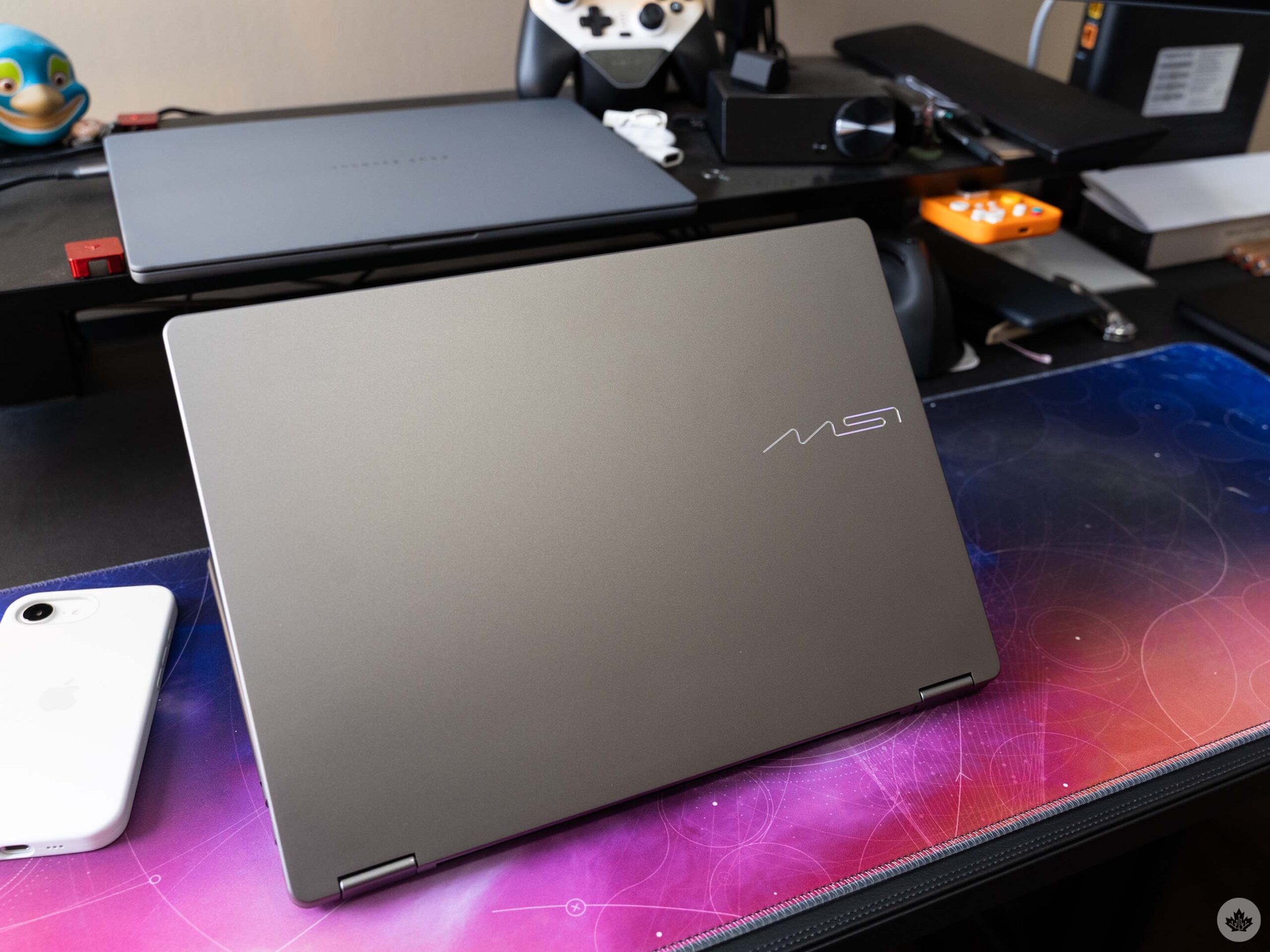
I’ll give MSI kudos for including a privacy shutter for the webcam and including a fingerprint scanner in the power button. You can opt to use Windows Hello facial recognition to unlock the laptop instead, but I’d rather keep the webcam shutter closed and use my finger. Far too many laptops opt to include the webcam shutter while also relying on Windows Hello, making for an incongruous login experience.
The Prestige 14 does have a good number of port options, including HDMI and two USB-C ports on one side, and two USB-A ports and a 3.5mm audio jack on the other. I’d maybe like to see one more USB-C port on the right side for more charging options, but what MSI delivers here isn’t bad.
AI Pen… yes, really
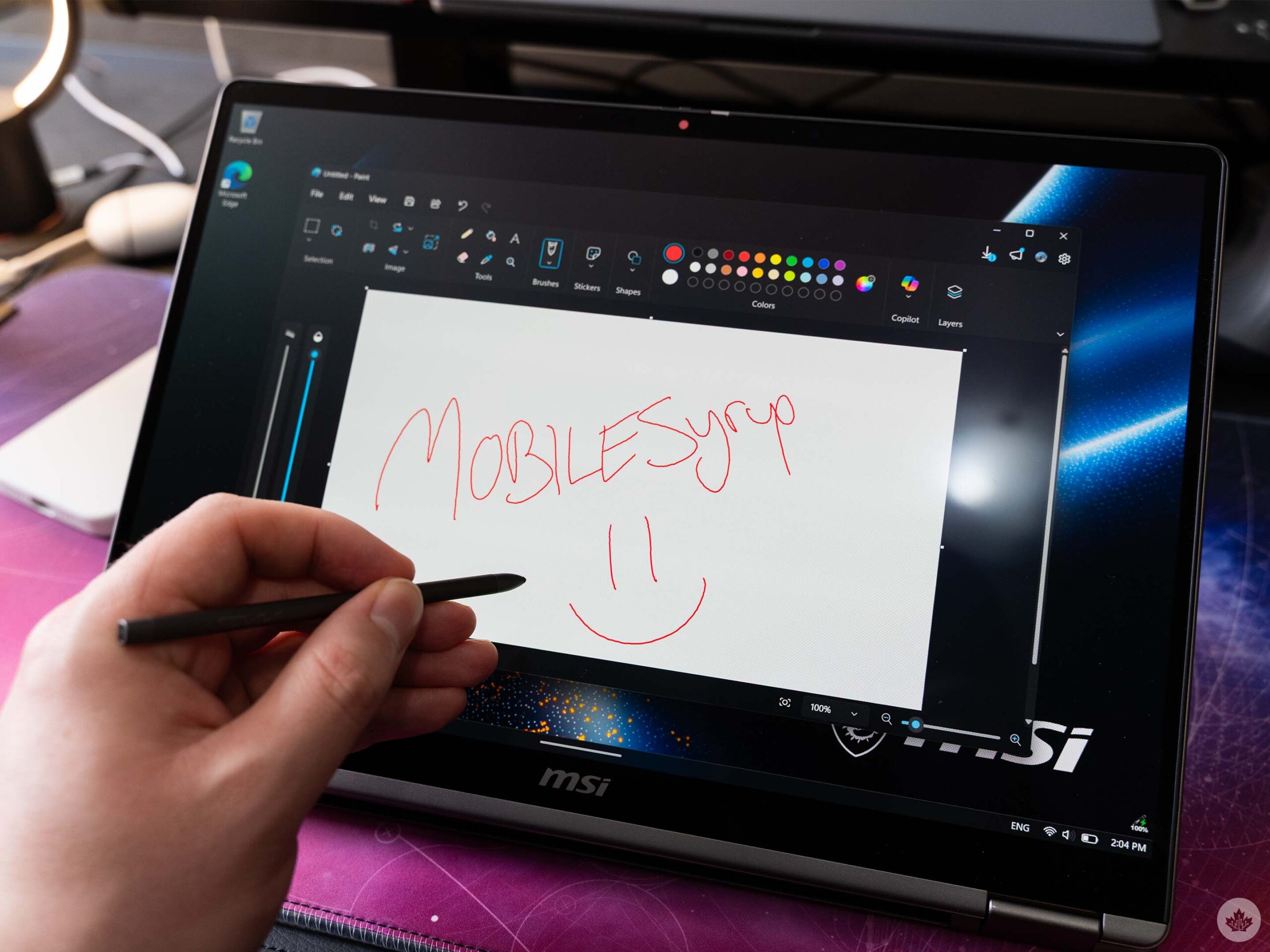
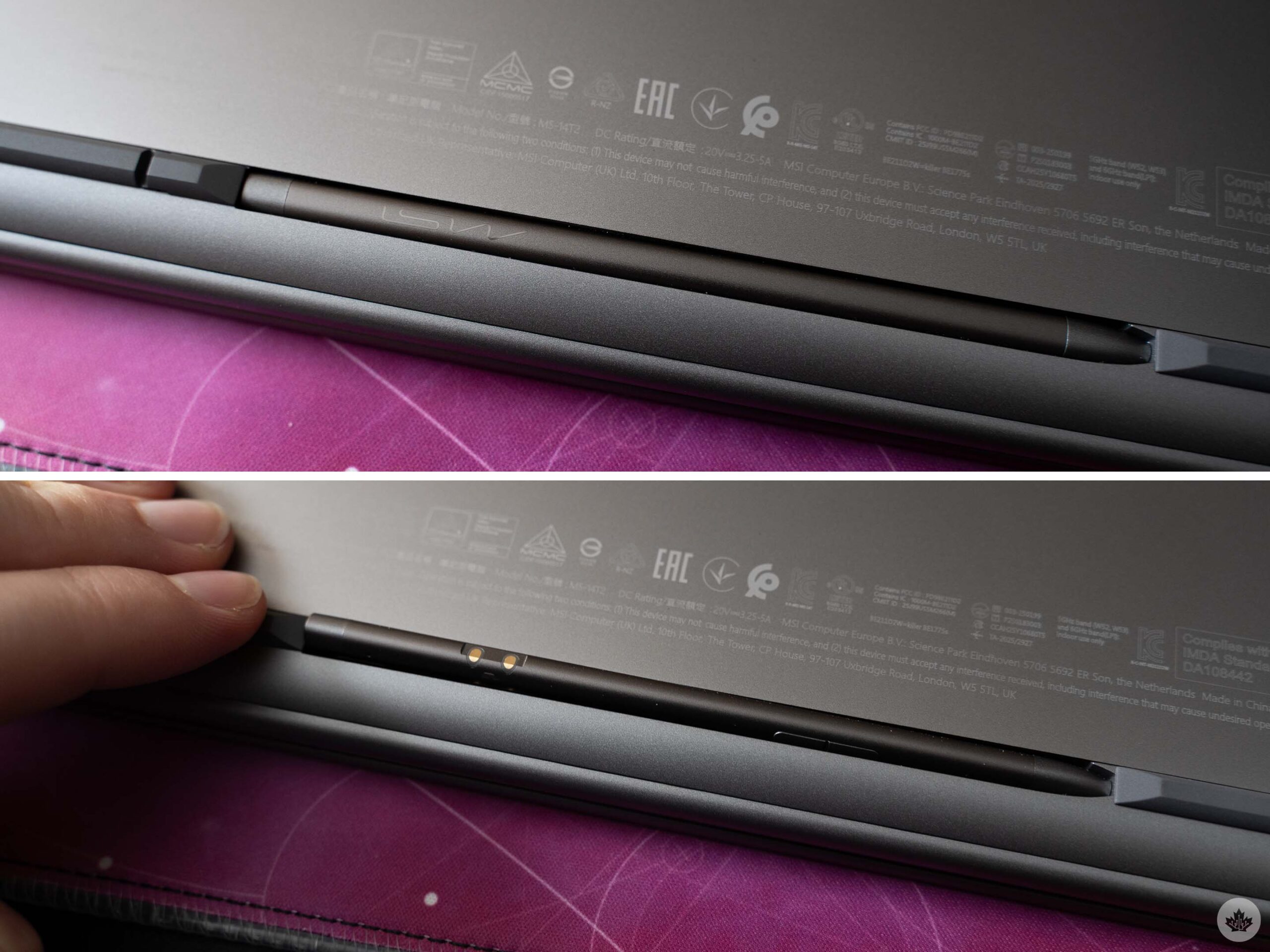
Finally, there’s the matter of the stylus. The Prestige I tested came with an MSI Nano Pen in the box. It’s a small, plastic stylus reminiscent of the S Pen found on some Samsung Galaxy smartphones. The Nano Pen clips into a slot on the underside of the Prestige laptop, which keeps it charged and out of the way but also makes it a bit awkward to grab when needed. I’d prefer if MSI included a slot for the Nano Pen above the keyboard or another place where it’d be easier to access, but the current storage solution is better than nothing.
The Nano Pen sports an eraser button and a context button, and if you hold down both buttons at the same time, you can use the built-in microphone to talk to Microsoft Copilot. I’m not entirely sure why the Nano Pen needs a microphone and Copilot support when the Prestige already has microphones and Copilot buttons. Whichever you use, it just launches the Copilot app, so it really feels redundant to me. Nonsense AI features aside, the stylus works well enough for writing on the Prestige 14, though its small size can be a bit uncomfortable for longer writing sessions.
Overall, the MSI Prestige 14 Flip is a decent Windows laptop, with a few quirks that could be improved. If you’re looking for a safe Windows laptop that doesn’t take a ton of risks and is all around good, the Prestige 14 Flip definitely fits the bill. It does a little bit of everything well, but doesn’t do much to stand out from the crowd.
In terms of Canadian availability, the laptop is available for pre-order, though finding it can be a bit of a hassle. The MSI Canada website lists a bunch of retailers that carry the Prestige 14, but when clicking through, many don’t actually list the most recent version of the laptop. Some retailers also only carry the larger Flip 16 variant. Some retailers marked the laptop as available for pre-order.
Here’s a list of retailers that carry the laptops, and the respective pricing they offer:
- Best Buy Canada – Prestige Flip 16 ($2,199.99).
- Memory Express – Prestige Flip 14 ($1,699.99), Prestige Flip 16 (multiple models starting at $1,949.99).
- Canada Computers* – Prestige Flip 14 ($1,699), Prestige Flip 16 (multiple models starting at $1,949).
*Note: Canada Computers is dealing with a recent security incident that saw infostealing malware capture customer information from its website. It might be best to avoid purchasing from Canada Computer’s website until the retailer has fully addressed the situation.
MobileSyrup may earn a commission from purchases made via our links, which helps fund the journalism we provide free on our website. These links do not influence our editorial content. Support us here.