
Historically, I’ve never really used an iPad. I’m certainly more than familiar with the ecosystem, both because I bought my mother and grandparents iPads and I have an iPhone and MacBook. (Of course, I will also always attempt to troubleshoot any issues they have.) But in general, tablets haven’t exactly been my thing; for casual messaging and web browsing, I have my phone, and for more intense use cases, I’ve got my laptop.
But this year, I’ve gotten the chance to check out the latest iPad Air refresh (officially dubbed iPad Air M4) following the departure of the other MobileSyrup Brad, who was our primary Apple Guy. Because of that, I figured I’d take a bit of a different approach to writing about Apple’s new tablet. Since pretty much everyone else is going to have a more technical review breaking down its exact specs and performance, I thought I’d look at it in a more general consumer sense. In particular, it’s been a fascinating opportunity to compare my experience to that of Mum’s, who’s been heavily using her (now pretty old) iPad every day.
And so, read on for both of our impressions — one from a more tech-savvy 31-year-old who doesn’t normally use tablets, and the other from a less knowledgeable 58-year-old who lives by her tablet.
Brad’s experience
What immediately took me aback while using the M4 iPad Air is just how much of a powerhouse it is. As Apple touts, this latest tablet is 30 per cent faster than last year’s M3 Air and 2022’s M1 Air. On top of that, its new C1X modem uses up to 30 per cent less energy than its counterpart on the M3 iPad Air. It also sports a three times faster Neural Engine than the M1 iPad Air, which allows it to better handle Apple Intelligence and other AI features. (Full confession, though: I have never cared for this sort of AI functionality, though, and this tablet hasn’t changed that.)
With all of these beefier specs, I’ve been able to (almost) seamlessly integrate the iPad into my regular workflow and entertainment habits. For one, the better performance lets it balance all of my regular tasks, like word processing, social media browsing and YouTube videos/music in the background. When attached to the Magic Keyboard, it’s effectively just a better version of the 2020 M1 MacBook Air I’ve been using. The keyboard is admittedly expensive at $379, but I honestly think it’s worth it. The seamless magnetic connection eschews the need for any setup process, which can otherwise be tedious when you switch between devices and have to navigate various Bluetooth pairings.
I especially found the iPad Air transformative with Photoshop when used in conjunction with the Apple Pencil Pro. I’m still an amateur when it comes to the program, but even for editing photos, the ability to precisely drag borders and easily zoom in on specific parts of the image is wonderful. And of course, the simple options to write in Notes or even sign documents (which I often have to do for work) are incredibly handy. (While the $169 Pencil Pro is another pricey accessory, the inclusion of features like wireless charging when magnetically connected to the tablet, haptic feedback, a squeeze to open a palette and Find My support are most welcome.)
There are still some growing pains, to be sure. The keyboard on my MacBook Air is slightly wider, so it’s going to take some getting used to the comparatively smaller iPad Air accessory counterpart. In particular, I’ve found myself accidentally hitting the occasional wrong button. But of course, this is something that I’ll eventually be able to overcome. On the whole, though, I can absolutely see myself using the iPad Air more for work, especially since it does everything I need my aging MacBook to do but boasts more modern specs and features. Even just having the touch screen is a nice alternative to exclusively navigating using a mouse.
And of course, an iPad can do so much more than just work. As MobileSyrup‘s gaming editor who also handles a lot of streaming coverage, the M4 iPad Air is quite appealing to me. Its powerful tech allows it to run console-quality games like Hitman: The World of Assassination, the remakes of Resident Evil 2, 3 and 4 (plus 2021’s Village), Assassin’s Creed Mirage and more. In practice, they all boast solid visual fidelity and performance on iPad Air, even when I bumped up the graphics and frame rate. There are some marked downgrades compared to playing on console or PC, like some noticeable aliasing on environmental textures in RE4‘s iconic village section. On the flip side, scaling a sun-soaked skyscraper in Hitman 3‘s Dubai level showed off some impressive lighting and reflection effects.
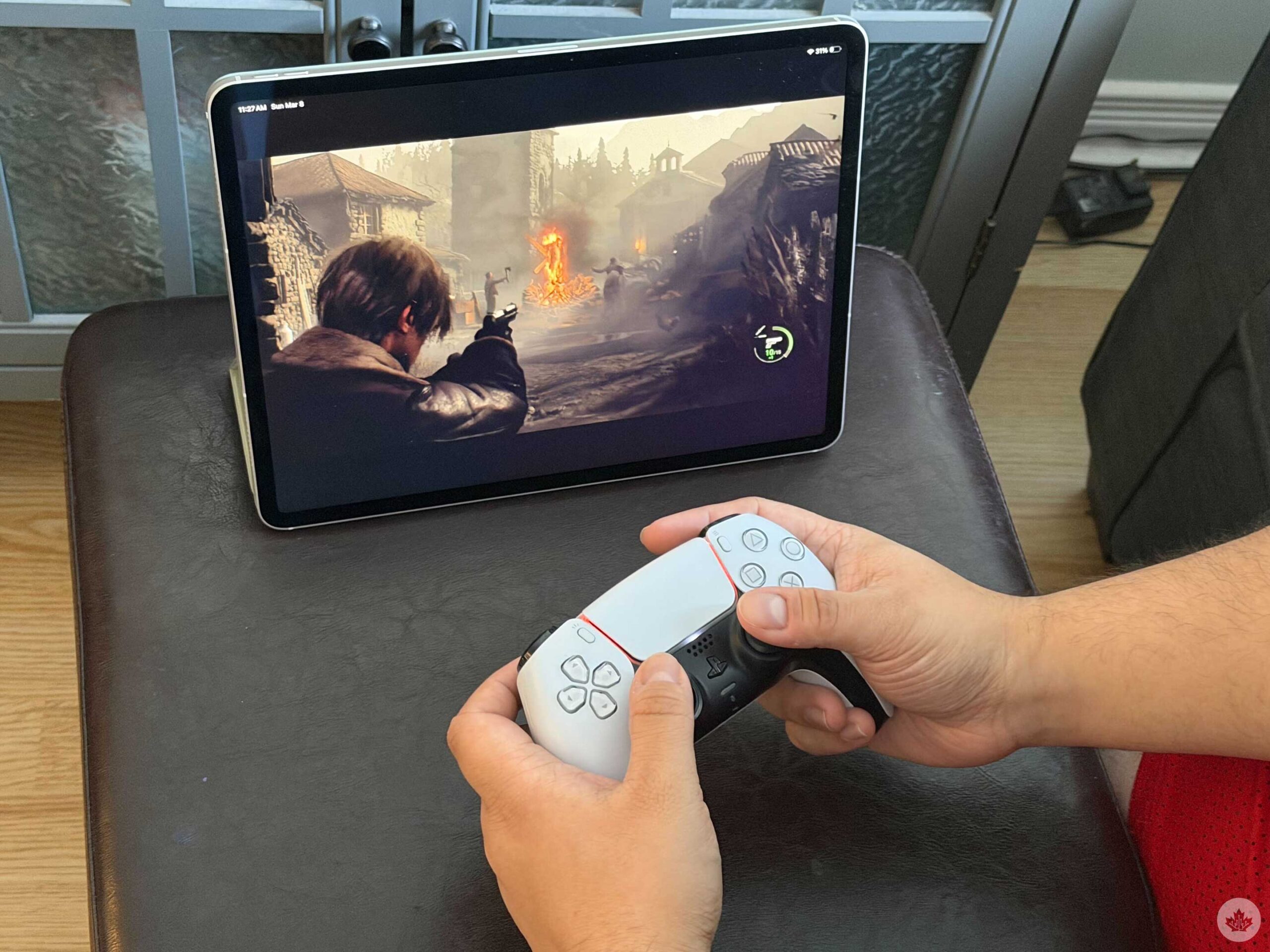
Having the option to play these kinds of AAA games on iPad is appreciated, especially when some of them, like Death Stranding: Director’s Cut, can be purchased once through your Apple account and used across supported iPhone, iPad and Mac models. With that said, I’m a bit disappointed that there aren’t more of these higher-end games. Over two years ago, I praised Apple’s multiplatform gaming approach for having a lot of potential, but even after all this time, these are mostly just the same games that were shown off back then. Clearly, many video game companies still aren’t supporting Apple devices, which limits the iPad as a gaming platform.
What is much better for me, though, is streaming. I love having that significantly larger 13-inch screen when I want to put on a movie, TV show or YouTube video in the background. Considering I travel a lot for work, I could definitely see myself using the iPad on flights or in hotel rooms compared to my 6.9-inch iPhone 17 Pro. It is definitely clunkier to hold in bed, though, so that’s a trade-off I’ll have to weigh. If nothing else, though, I’m happy that I received the cellular model, since my room can often be a dead zone for Wi-Fi and I can adjust accordingly.
Mum’s experience
As someone who uses her iPad every day, I was quite curious to see what she thought of this latest model. Not only is it Apple’s latest and greatest iPad Air, but it’s also been several years since she started using the 9th-gen iPad Air, which was actually discontinued in 2024. (I hadn’t realized it had been that long, so she’s definitely been due for an upgrade.)
And sure enough, she was blown away by the significantly improved performance of the M4 iPad Air. Right away, she marvelled at how “fast” and “lightweight/thin” it is. Even something as simple as navigating through several tabs, from her email and MSN to a YouTube video, was so much better for her. But the biggest upgrade, she says, was the 13-inch screen. As someone with poor vision, the extra two inches have been an absolute game-changer.
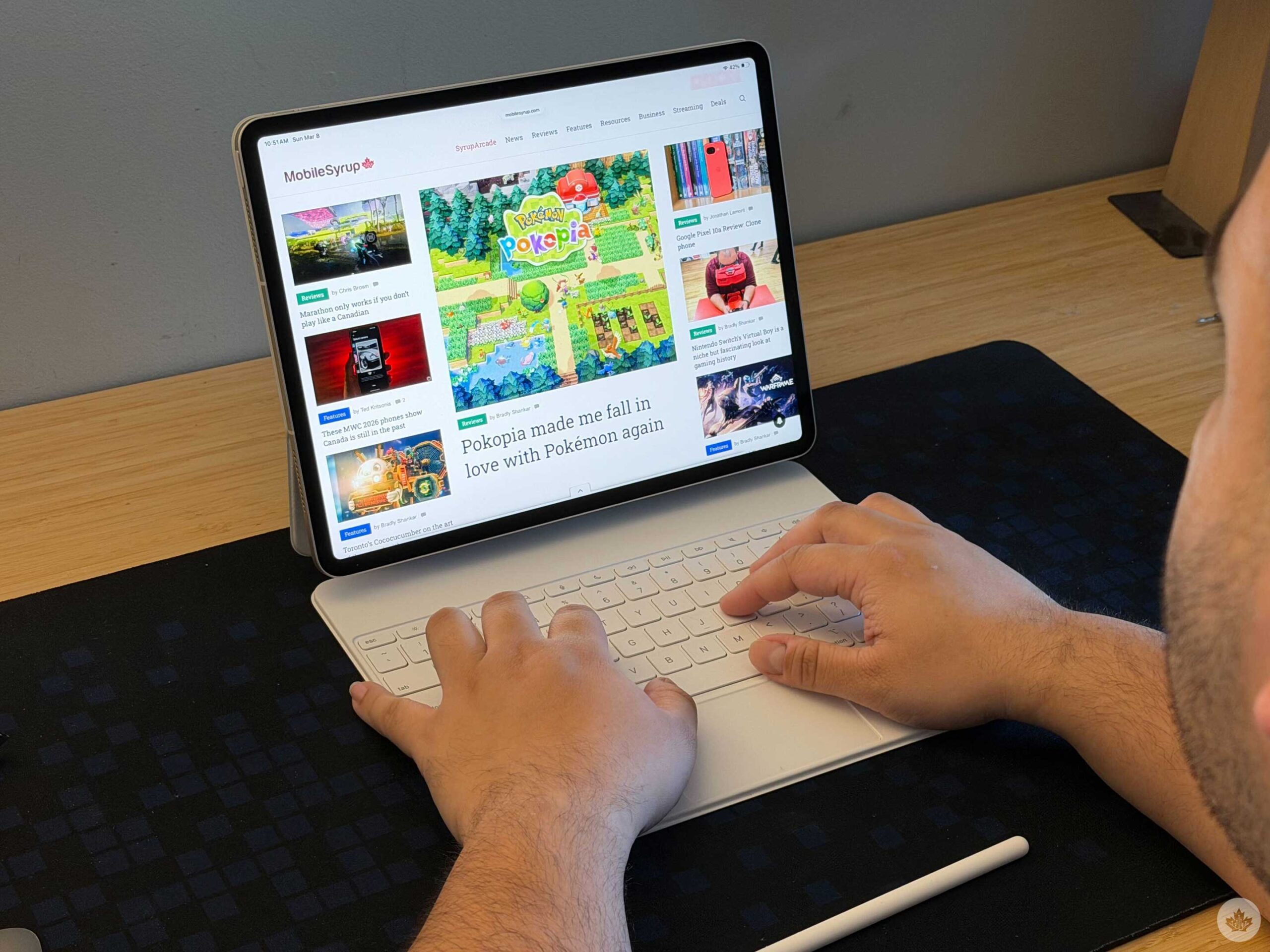
She also really enjoyed using the Magic Keyboard, which she said was “good for typing long documents and emails,” and the Pencil, “which was more precise” than fingers and refreshingly required little pressure. (She recently broke some fingers falling, so this sensitivity is certainly welcome.) In her case, these accessories aren’t nearly as impactful as they are for me, but it’s always good to have options, in any event. And finally, she praised the battery life for lasting hours longer.
On the flip side, her biggest obstacle has been getting used to the lack of a Home button, given that her 2021 iPad Air was actually the last model to carry one. My grandfather had the same issue recently when I switched from an iPhone 7 Pro to a 15 Pro. I’ve since realized that the way in which you swipe up from the very bottom of the screen is something you can’t really “explain” or “show” to someone who’s older; it’s just an intuitive thing you have to get the hang of yourself. And of course, these growing pains won’t be a problem for anyone who’s been regularly using a more recent iPad, but they’re still something worth considering.
Other, more minor issues Mum had included the flat surface on the top of the otherwise rounded Pencil, which threw her off, and how the tablet feels “much heavier” with the Magic Keyboard. (To that latter point, she even mentioned how seniors with arthritis or others with joint problems could have some trouble with this.) But overall, she loves the new iPad and sums up her thoughts accordingly: “Anything that is different or potentially negative is far outweighed by the speed and size.”
Closing thoughts
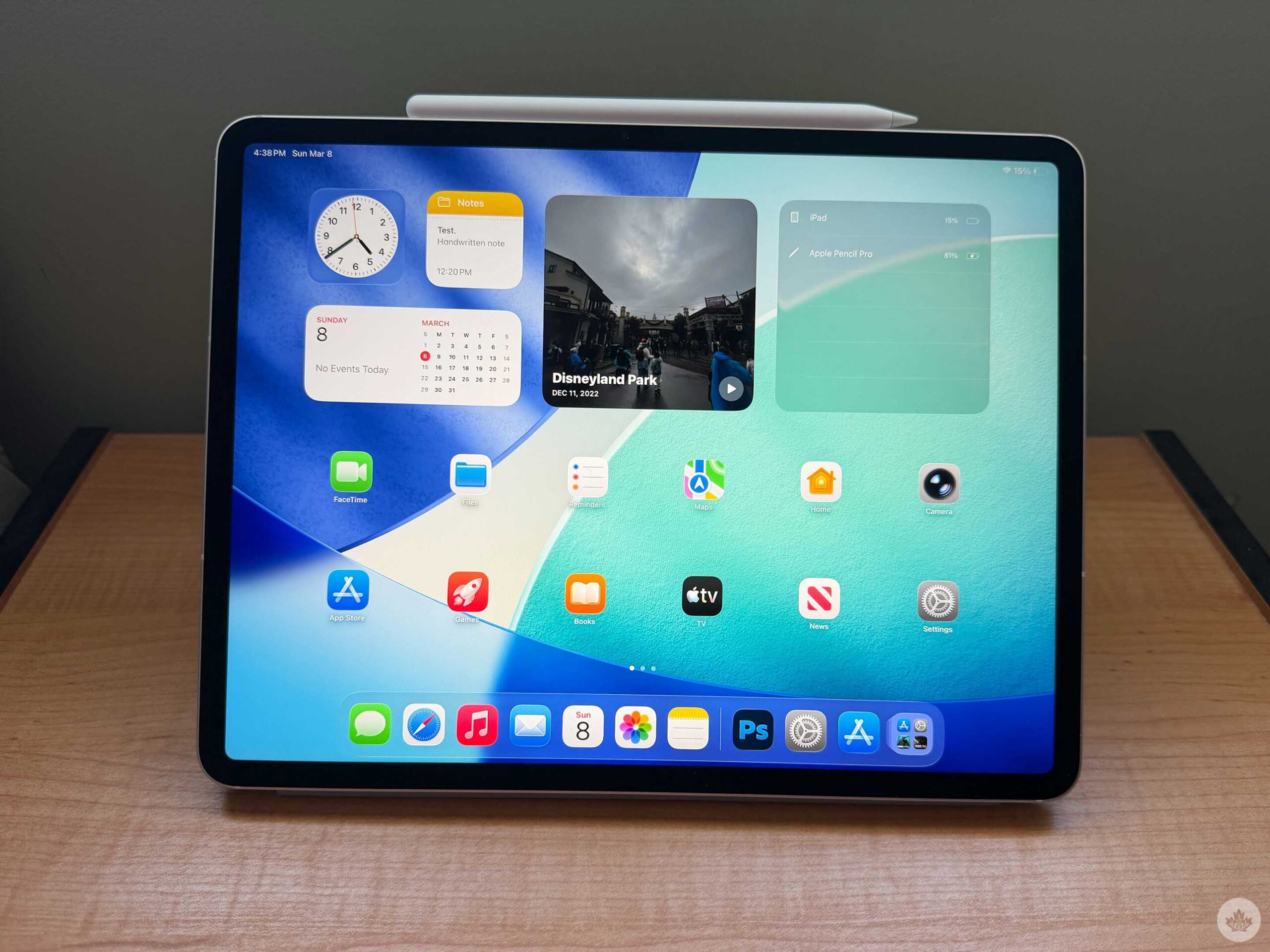
There’s a lot to dig about the M4 iPad Air, especially for different people in the same family. From my perspective, the beefier specs, sizable, pristine screen and handy accessories make it a welcome addition to my workflow that can also double as an all-around solid entertainment device, even if the higher-end gaming options are a bit lacking. And for someone older, like my mother, having that faster speed and bigger display are a true game-changer, even for basic uses like email, web browsing and YouTube.
And best of all, you have plenty of options. The starting price, $799 for the 11-inch model and $1,099 for the 13-inch, are honestly pretty reasonable, considering I paid over $400 for her five-year-old model. While $300 more for the 13-inch model is a bit hefty, it would be worth it in Mum’s case. I also consider the fact that someone like her (or even me, really) isn’t the kind of person who needs the latest model often; this would do her for years, just as the 9th-gen model has.
Because honestly, the other accoutrements, from the higher storage space to cellular capacity, aren’t needed for her. Even in my case, I’m quite economical when it comes to managing downloads. Even on consoles, I’ve avoided ever using expanded storage options by simply deleting games when I’m done with them. And so, the base 128GB is more than enough for Mum (whose previous 2021 iPad Air sported half of that) and likely solid for me. For the purposes of this review, we have the 1TB model, which brings the 13-inch cost up to $1,809, but neither of us actually needs that.
All of that is to say that consumers, both young and old, can get a ton out of the M4 iPad Air, even with the more entry-level options. With its robust specs and features, it works remarkably well for both productivity and entertainment, and it’s already become a mainstay at home.
Pre-orders for the M4 iPad Air are now available ahead of a March 11 launch. You can pre-order the tablet on Apple’s website. It comes in Space Grey, Blue, Purple and Starlight colourways.
MobileSyrup may earn a commission from purchases made via our links, which helps fund the journalism we provide free on our website. These links do not influence our editorial content. Support us here.