
Google has a penchant for invalidating some of its Pixel devices every year.
With last year’s Pixel 9 series, I felt Google put the base Pixel 9 model in a weird position with the launch of the smaller Pixel 9 Pro. The two devices were incredibly similar, with the main difference being the telephoto camera on the Pro model. I ultimately found myself preferring the 9 Pro just because of that camera. Then the Pixel 9a came along and offered a nearly identical experience to the Pixel 9 for significantly less money.
This year, the Pixel 10 beats out the Pixel 10 Pro in the ways that actually matter, thanks to smart improvements like a new telephoto camera and a larger battery. On paper, the Pixel 10 Pro is better – more RAM, better camera hardware, and so on. But when it comes to actual real-life use, the Pixel 10 does everything well enough to make spending more for the 10 Pro redundant for most people.
I’ll get into the details throughout the review, but in almost every head-to-head comparison (such as the telephoto cameras), the Pixel 10 matched up very well to the 10 Pro. Of course, we don’t yet know what will happen with the Pixel 10a, but unless Google does something really crazy, I think there will be more meaningful differentiation between the Pixel 10 and 10a this year.
But while the Pixel 10 nips at the 10 Pro’s heels, the phone is far from perfect. Google has improved the Tensor chip, but I don’t think the company went far enough. Moreover, many of the new AI features don’t live up to Google’s promises, Magic Cue being the most notable culprit.
That leaves the Pixel 10 in a weird spot of being a generally good phone with no compelling reason to upgrade unless your current phone just bit the dust. (Arguably, more people should wait to upgrade until they really need to anyway.)
Specs
6.3-inch Actua display, 1080 x 2424 OLED, 60-120Hz,
6.3-inch Actua display, 1280 x 2856 OLED, 1-120Hz,
6.3-inch FHD+ (1080 x 2424 ) OLED Actua Display, 422ppi, 60-120Hz refresh rate
1280 x 2856 LTPO OLED 120Hz, 3,000 nits peak brightness
152.8 x 72 x 8.5 mm (6.02 x 2.83 x 0.33 in)
48-megapixel (f./1.7) + 13-megapixel (f/2.2) 120-degree, 10.8-megapixel (f/3.1) 5x optical zoom
50-megapixel (f/1.68) + 48-megapixel (f/1.7) 123-degree + 48-megapixel (f/2.8) 5x optical
50-megapixel (f/1.7) + 48-megapixel (f/1.7, ultrawide)
50-megapixel (f/1.7) + 48-megapixel (telephoto 5x zoom) + 48-megapixel (ultrawide)
Fingerprint (side-mounted), Face Unlock, accelerometor, gyro, proximity, compass
Fingerprint (in-display), Face Unlock, accelerometor, gyro, proximity, compass
Fingerprint (in-display), accelerometor, gyro, proximity, compass
Fingerprint (under display, ultrasonic), accelerometer, gyro, proximity, compass, barometer, thermometer (skin temperature)
Colours: Frost, Lemongrass, Obsidian, Indigo + Pixelsnap
Colours: Moonstone, Jade, Porcelain, Obsidian + Pixelsnap
Colours: Obsidian, Porcelain, Wintergreen, Peony
Colours: Porcelain, Rose Quartz, Hazel, Obsidian
6.3-inch Actua display, 1080 x 2424 OLED, 60-120Hz,
6.3-inch Actua display, 1280 x 2856 OLED, 1-120Hz,
6.3-inch FHD+ (1080 x 2424 ) OLED Actua Display, 422ppi, 60-120Hz refresh rate
1280 x 2856 LTPO OLED 120Hz, 3,000 nits peak brightness
152.8 x 72 x 8.5 mm (6.02 x 2.83 x 0.33 in)
48-megapixel (f./1.7) + 13-megapixel (f/2.2) 120-degree, 10.8-megapixel (f/3.1) 5x optical zoom
50-megapixel (f/1.68) + 48-megapixel (f/1.7) 123-degree + 48-megapixel (f/2.8) 5x optical
50-megapixel (f/1.7) + 48-megapixel (f/1.7, ultrawide)
50-megapixel (f/1.7) + 48-megapixel (telephoto 5x zoom) + 48-megapixel (ultrawide)
Fingerprint (side-mounted), Face Unlock, accelerometor, gyro, proximity, compass
Fingerprint (in-display), Face Unlock, accelerometor, gyro, proximity, compass
Fingerprint (in-display), accelerometor, gyro, proximity, compass
Fingerprint (under display, ultrasonic), accelerometer, gyro, proximity, compass, barometer, thermometer (skin temperature)
Colours: Frost, Lemongrass, Obsidian, Indigo + Pixelsnap
Colours: Moonstone, Jade, Porcelain, Obsidian + Pixelsnap
Colours: Obsidian, Porcelain, Wintergreen, Peony
Colours: Porcelain, Rose Quartz, Hazel, Obsidian
Familiar outside, new inside
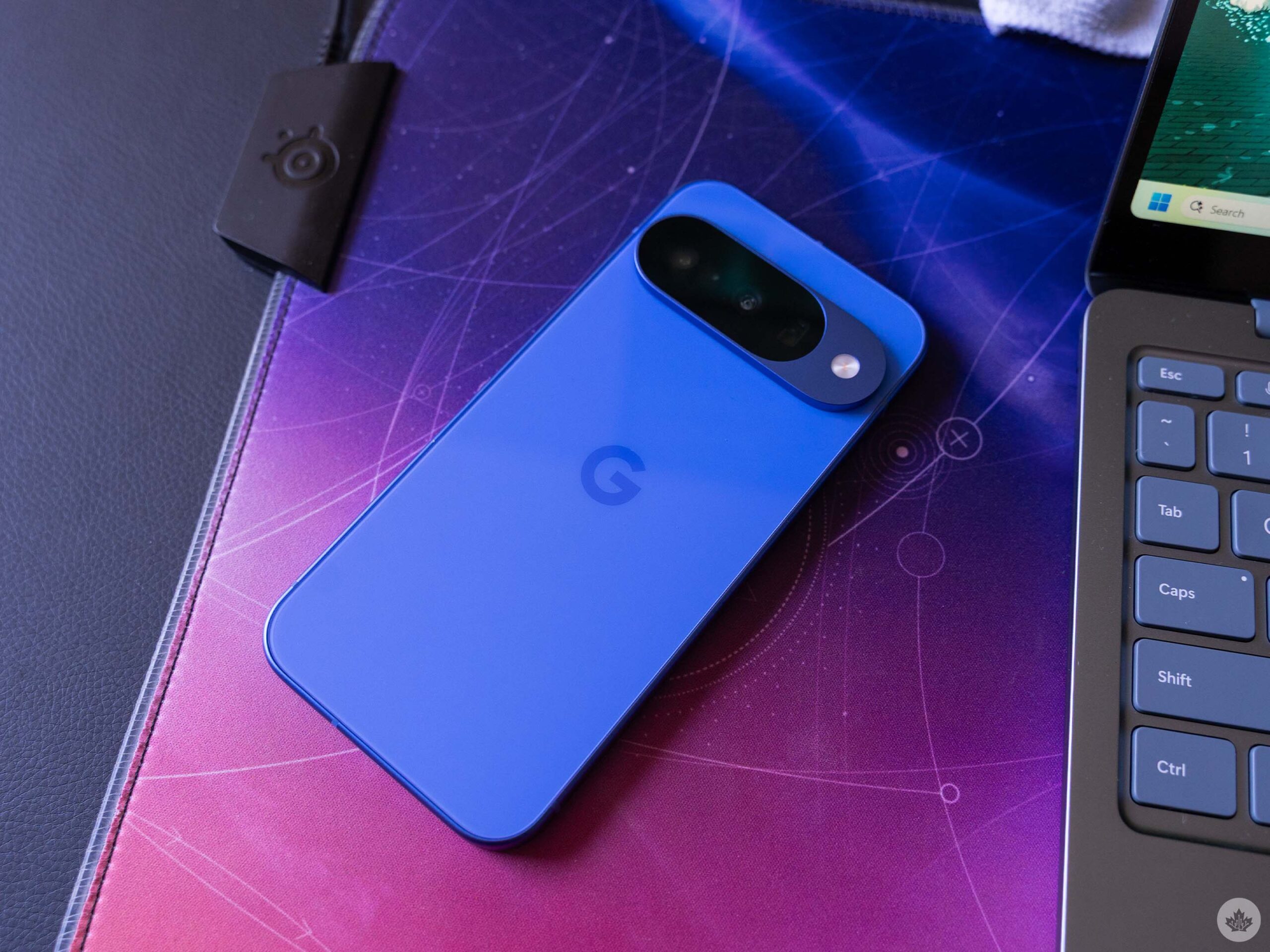
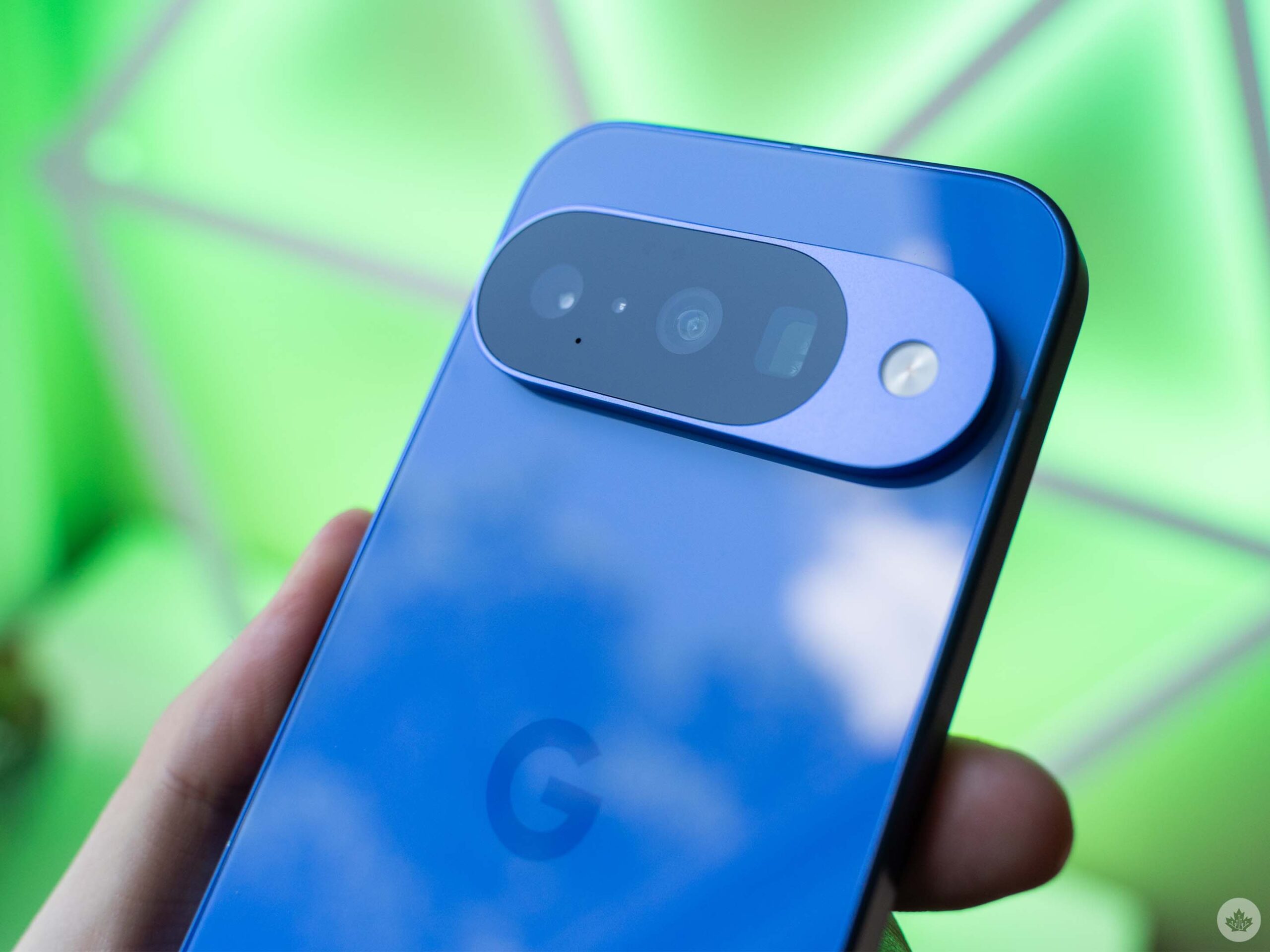
There isn’t a ton to say about the hardware this year because most people would be hard-pressed to tell the Pixel 10 and Pixel 9 apart. Aside from the new colour options and third camera on the rear, the Pixel 10 sports a nearly identical design. There are small tweaks, but very little substantial – at least externally. The good news here is that if you like the look of the Pixel 9 series, then the Pixel 10 is more of the same. (And if for some reason you’re upgrading from a Pixel 9 to a Pixel 10, your cases should still work without issue.)
Internally, things are a bit different. There’s a new chip, the Tensor G5, the battery is bigger, there are camera changes, and there’s Pixelsnap.
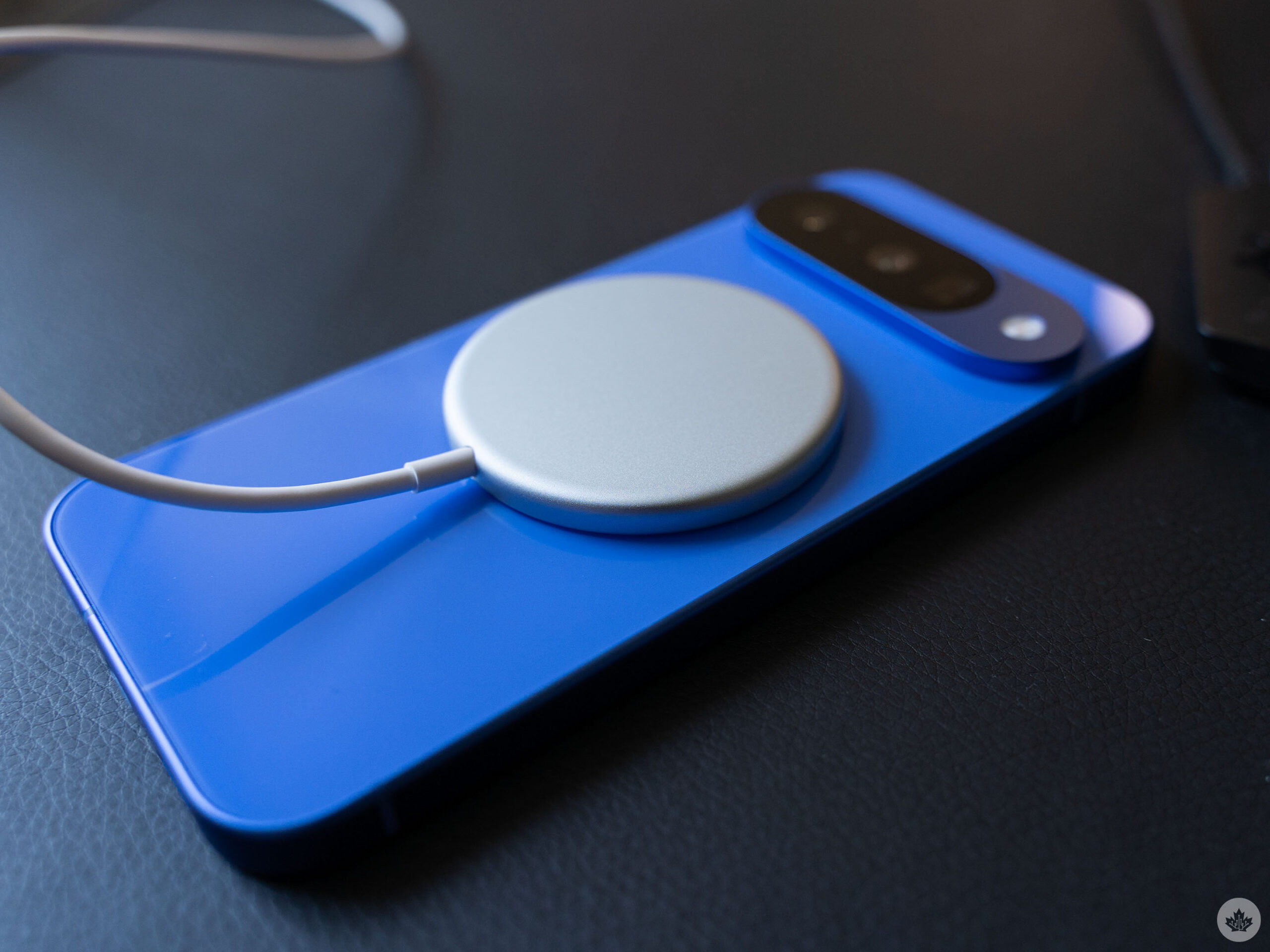
Pixelsnap is Google’s take on Qi2 wireless charging, which means it’s a magnetic system just like MagSafe on iPhones. Pixelsnap has the added benefit of being built directly into the Pixel 10 series, meaning you don’t need a case to take advantage of the features. This will matter most to those who prefer not to use a case on their phone, but either way, it’s a nice addition. So far, the Pixel 10 series are the only Android devices with a MagSafe equivalent built in.
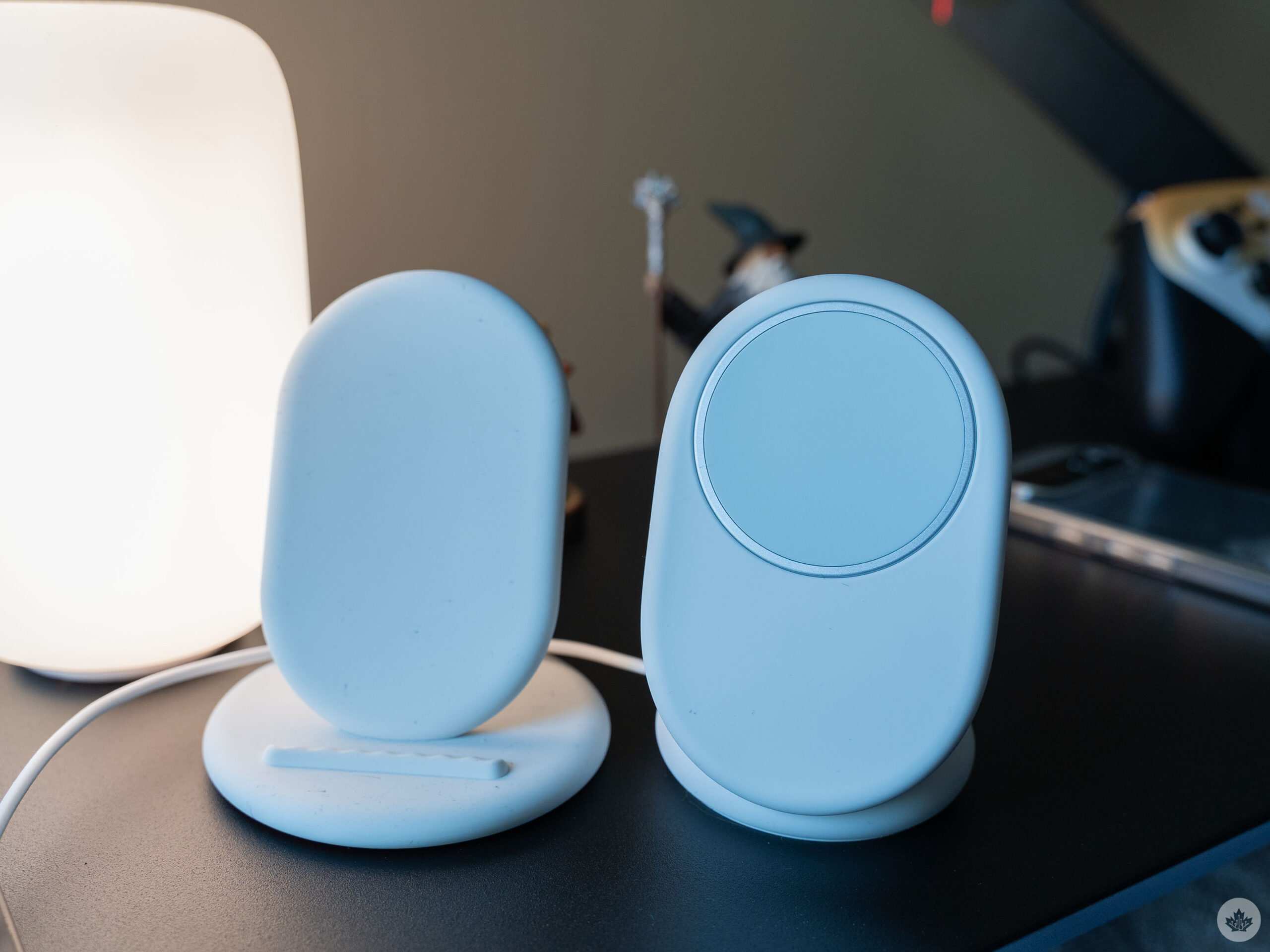
The first-gen Pixel Stand (left) and new Pixelsnap Charger with stand (right).
I haven’t used MagSafe at all since it launched on the iPhone 12 back in 2020 (I cannot believe it’s been five years!), so the Pixel 10 is my first experience with the magnetic accessory system. So far, I’ve only really used it with Google’s Pixelsnap wireless charger, and it’s fine. It’s wireless charging, and I like the way the Pixelsnap charging stand allows my phone to almost levitate above my table because it’s held in place with magnets instead of a little lip at the bottom of the stand, like with the old Pixel wireless charging stand.
Interestingly, Pixelsnap alters wireless charging speeds, for better and worse. Per Google’s website, the Pixel 10 and 10 Pro can charge at 15W with Pixelsnap, the same as Pixel 9 with the 2nd-gen Pixel Stand, but slower than the 9 Pro (21W). The Pixel 10 Pro XL can charge at 25W with Pixelsnap, up slightly from 23W with the Pixel Stand. Without other Qi chargers, the Pixel 9 series was locked to 12W wireless charging.
However, Pixelsnap/MagSafe hasn’t blown me away yet. Maybe I just haven’t tried enough accessories, but at this point, Pixelsnap feels like a nice-to-have feature but not one worth upgrading for, especially since you can just slap a compatible case on any other phone to get a similar experience.
Tensor’s better, but still has catching up to do
Google made a big deal about its improvements with the Tensor G5, but my experience with the Pixel 10 was mixed. The biggest improvement I’ve noted is better battery life, particularly with standby time, but Tensor G5 doesn’t feel that much faster in day-to-day use. I will note that gaming performance seems improved, but I still wouldn’t recommend it for serious gamers.
I had some interesting results when benchmarking the Pixel 10. Initial attempts yielded surprisingly poor results, with the Pixel 10 scoring worse than the Pixel 6a. However, after further testing, I believe the initial results were marred by some pretty heavy throttling due to heat and possibly battery life. Subsequent Geekbench 6 tests, once the battery was topped up and the phone had cooled down, yielded results more in line with what I’ve seen from other testers, with scores of 2,297 for single-core and 5,092 for multi-core. (Results were ultimately all over the place, suggesting to me that the Pixel 10 has some aggressive throttling going on.) The Pixel 10 Pro performed slightly better in benchmarks.
I feel like a bit of a broken record at this point, but benchmarks don’t always line up with real-world experience, and the Pixel line is a shining example of that. For years, Tensor chips have performed worse than the chips you’d find in other flagships like the iPhone or Samsung’s Galaxy line. However, Pixel phones still feel really smooth to use, and I rarely notice performance issues during typical use. The same is true for the Pixel 10, which has felt incredibly snappy in day-to-day use. Scrolling feels smooth, apps load quickly, and I haven’t noticed issues with apps getting booted out of memory. For most things people do on their phones, the Pixel 10 runs great.
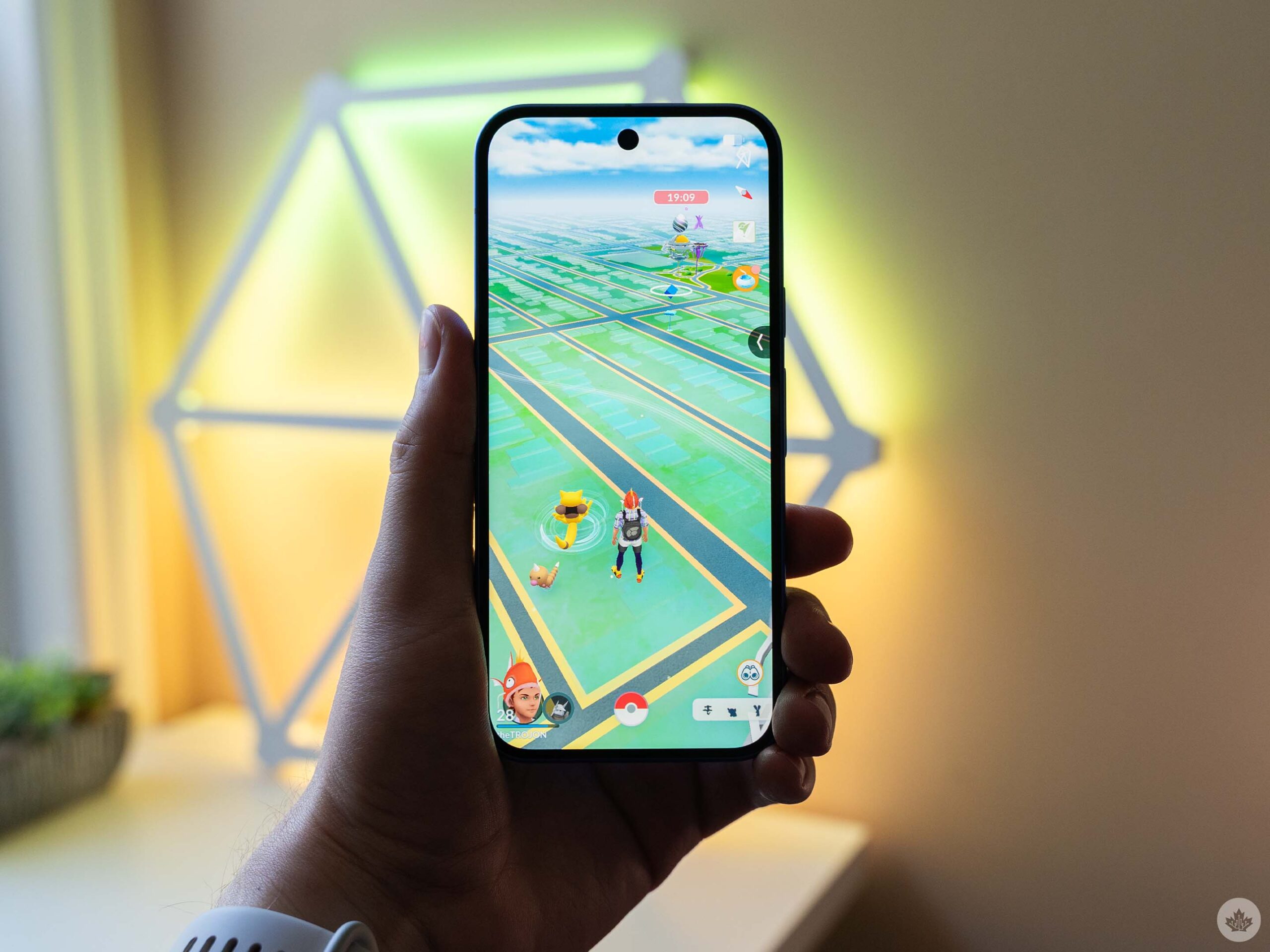
Gaming has been a long-running weak spot for Tensor, and while G5 brings some GPU improvements, there are still better options out there for mobile gamers. To an extent, the games people choose to play will be a factor. Less graphically intense titles run great, while heavier titles can have issues. I tried out Pokémon Go on behalf of MobileSyrup’s Brad Bennett, who wanted to know how the game performed on Pixel 10 compared to Pixel 9, which he found would drop from around 110fps to around 45fps after just five minutes of playing.
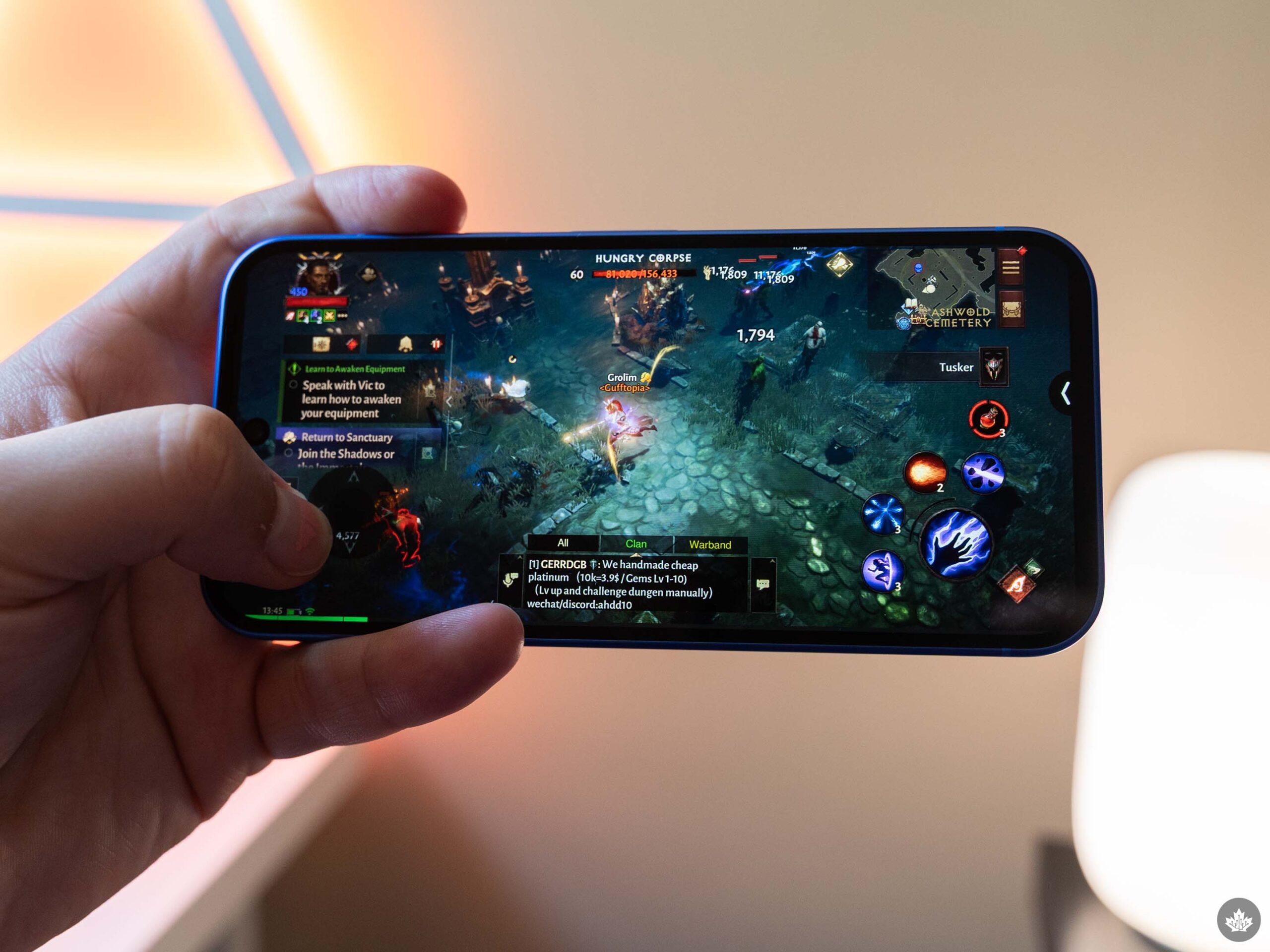
Playing Diablo Immortal on the Pixel 10 is better than on previous Pixels.
Initially, I found the game very choppy on the Pixel 10, but after enabling the native refresh rate option in the game’s settings, it ran much, much smoother. More than that, in my trials, the Pixel 10 managed to maintain a fairly consistent average framerate of about 100fps in Pokémon Go, even after 10 minutes of playing. The phone did heat up, but not enough to see significant performance throttling despite playing on a warm, sunny day.
I had a similar experience playing Diablo Immortal, which with Pixel 9 was capped at 30fps on low graphics. On the Pixel 10, it ran at a fairly solid 60fps on high graphics most of the time, occasionally dipping to the mid-40s or even 30s in hectic fights or in areas with lots of other players, such as while in town. However, the phone gets quite hot after a few minutes of playing. Still, it’s an improvement over previous Pixels, just not quite enough to make the Pixel 10 a phone for gamers.
Great battery for light phone users
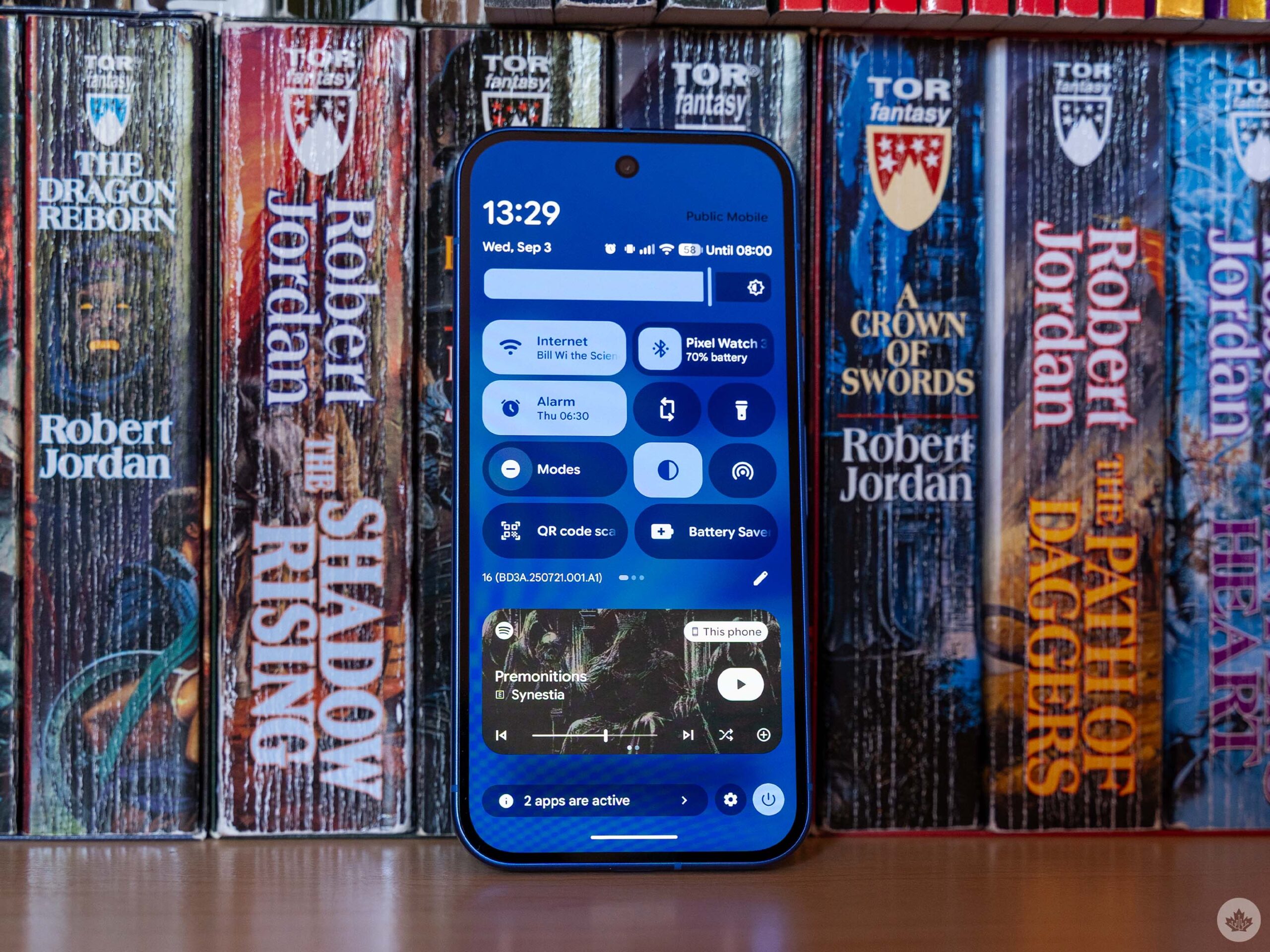
A combination of a larger battery and more efficient standby has enabled better battery life on the Pixel 10. Unfortunately, it’s not perfect. First, the good: I was regularly getting a day and a half to two days out of the Pixel 10 on light use.
On multiple occasions, I ended the day with a couple of hours of screen time and about 60 per cent battery in the tank, and was able to stretch it through the second day, usually to evening or even bedtime (often around 10:30 for me), putting the Pixel 10 on the charger with about 10 per cent or less charge.
I quite like this aspect of the phone, and it untethered me from charging the Pixel 10 every night. Increasingly, I just throw it on charge when it actually needs a charge.
However, I also noticed that with heavy use, the Pixel 10 can be quite power hungry. For example, on a day I travelled from my home in Hamilton, Ont., to Toronto for a day in the office, the Pixel 10 only lasted from around 7am to about 4pm because tethering absolutely drained the battery. Naturally, tethering is a pretty power-intensive use case, but I was a little surprised by how quickly the battery drained. I tethered for about two hours, par for the course when I go into the office. But when I did that on the Pixel 9 Pro, it still lasted the whole day. Moreover, the screen is typically the most power-hungry component on phones, but I consistently saw the CPU topping the Pixel 10’s battery usage chart.
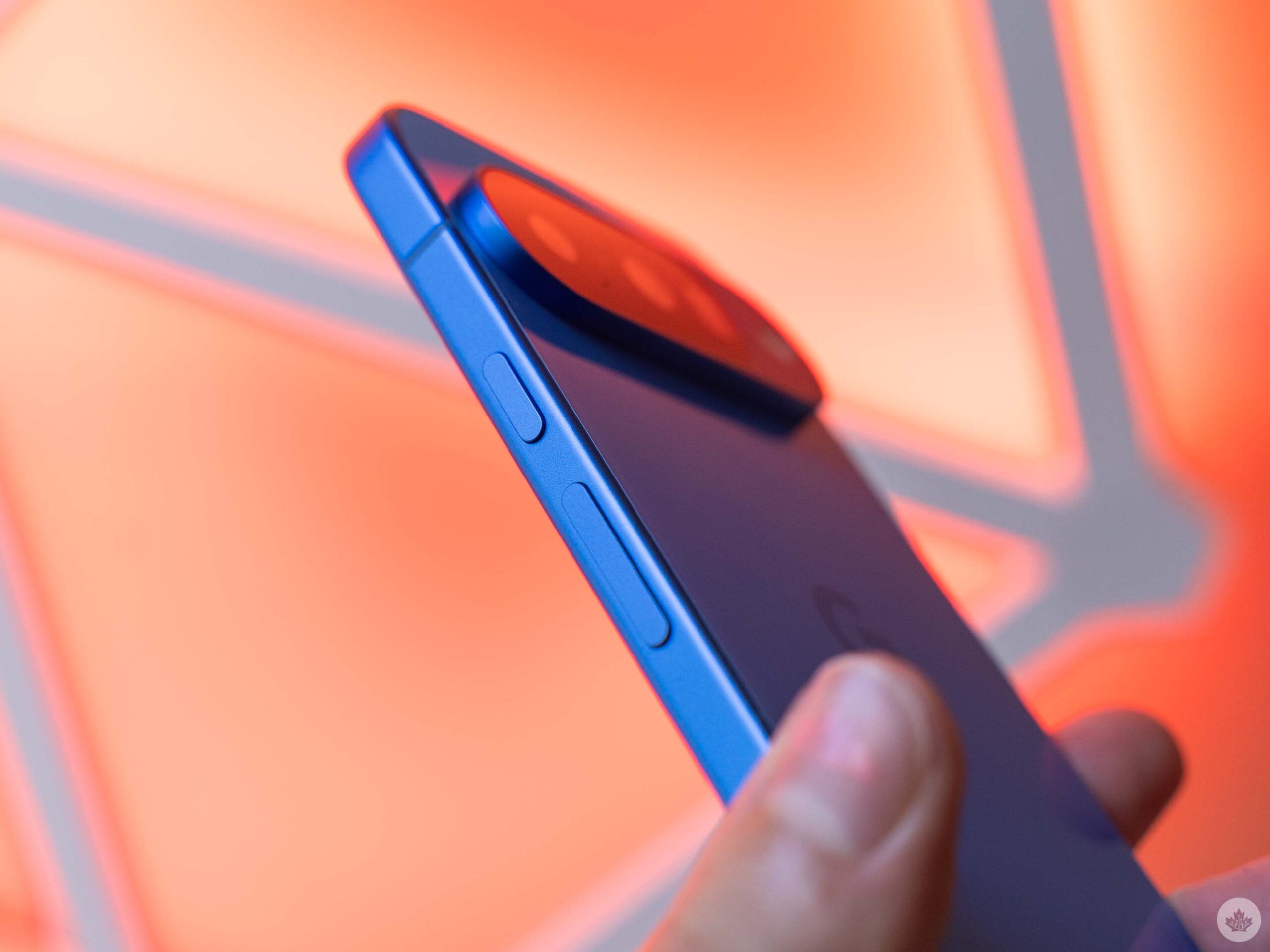
And given how warm the Pixel 10 gets during more intensive use like gaming or tethering, it seems to me that Tensor G5 may not be the most power-efficient chip. Ultimately, I worry that Tensor G5 – even with improvements – still isn’t enough. Google’s pitch with Tensor is still focused on AI, with the company claiming that Tensor allows it to do on-device AI features. However, we also see similar on-device AI features coming to other devices that don’t use Tensor chips and also have much better performance, so I don’t totally buy what Google’s selling here.
My biggest issue comes down to the price of these devices. Like I said above, Tensor has never been a performance leader. With previous Pixels, I was more forgiving because Tensor was still in the early stages and Google charged a lot less for its phones. But like the Pixel 9, the Pixel 10 is similarly priced to the iPhone 16, and it’s really hard to justify buying a Pixel over an iPhone when the iPhone ships with one of the best-performing mobile chips on the market. The Galaxy S25 is in a similar position, although it’s a little more expensive. And I say this as a Pixel fan who has used a Pixel as my primary phone since the original Pixel.
So while the Tensor G5 is better and a step in the right direction, if Google wants to continue charging flagship prices for the Pixel line, it also needs to offer flagship-level performance.
Magic Clueless
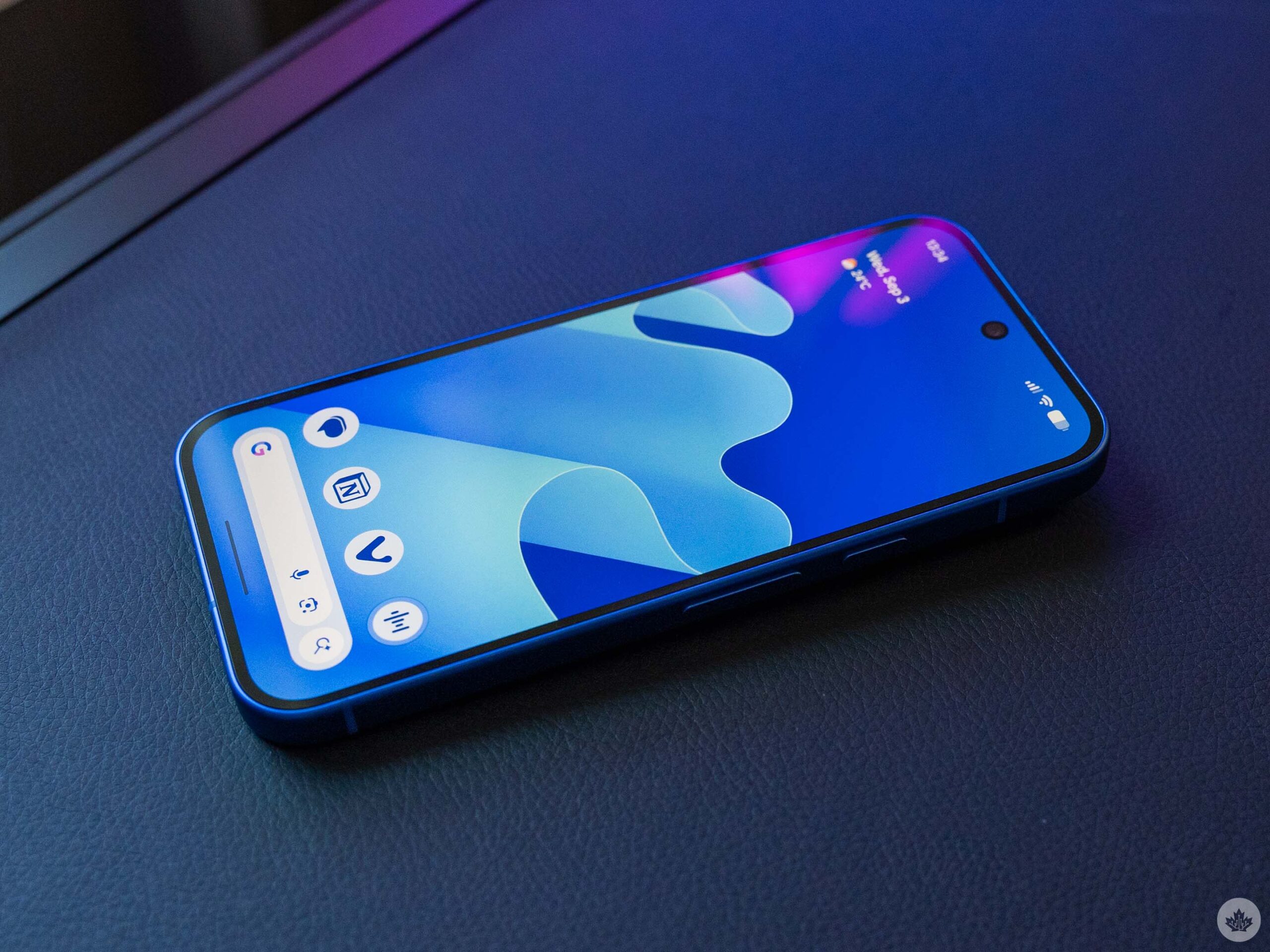
Speaking of AI capabilities enabled by Tensor, the Pixel 10 ships with quite a few new features. The headliner is Magic Cue, and oh boy, is it underwhelming.
My problem with Magic Cue is that Google’s promise is very far from the reality of using it. Google claims that Magic Cue will save you time by suggesting contextually relevant information so you don’t have to switch between apps as often. The reality is that it rarely shows up, and when it does, it’s not nearly as helpful as expected.
For starters, I had a hell of a time trying to get Magic Cue to work in the first place. There are a few reasons, though I’m not sure how much impact each had. I had to switch off using beta versions of the Messages and Phone apps. I had issues relating to Google accounts on the device, one of which was a work account, and there’s a general 24-hour waiting period while Magic Cue pulls in data before it actually starts offering suggestions.
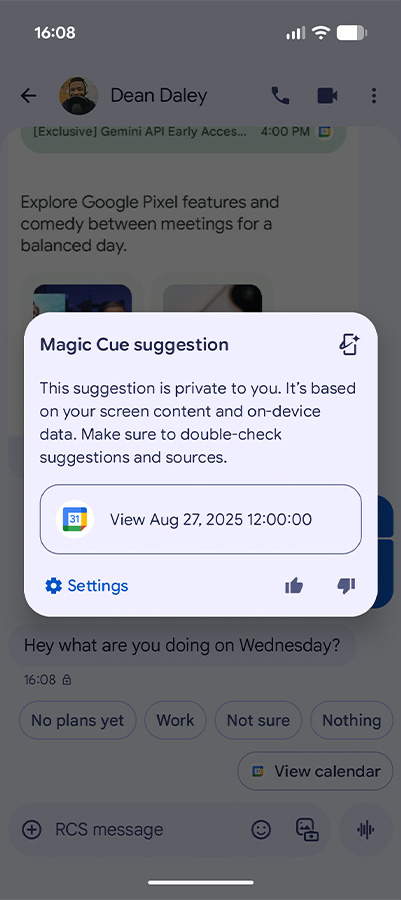
While not all of this will impact everyone, I do want to focus briefly on the Google accounts issue, since it likely will impact many. First, Magic Cue can only work with one Google account, even if you have multiple on the device. Moreover, it doesn’t play nice with work accounts depending on organizations’ data and privacy settings. If you’re a person with multiple accounts or who hopes Magic Cue will help with work-related tasks, well, you might just be out of luck. For me, this really set back the usefulness of Magic Cue as it couldn’t provide any relevant information about what’s going on at work, even though all that data is on my phone.
Account issues aside, I found Magic Cue didn’t show up very often, and when it did, it was seldom helpful. I spent a lot of time working with MobileSyrup devices editor Dean Daley, attempting to force Magic Cue to show up just to ensure it was working. We sent each other messages we expected would trigger the feature, like asking what was on our calendars or for contact information. After a few days of fiddling, we started seeing Magic Cue suggestions appear.
The contacts one worked as advertised, pulling relevant info from my contacts. Calendar suggestions were less helpful, however. For example, when Dean texted me, “What are you doing on Wednesday?” tapping Magic Cue’s suggestion bubble just kicked me to the calendar app so I could see the events I had. Sure, it saved me a couple taps, but I had hoped Magic Cue might offer a list of my calendar events instead of forcing me to switch apps.
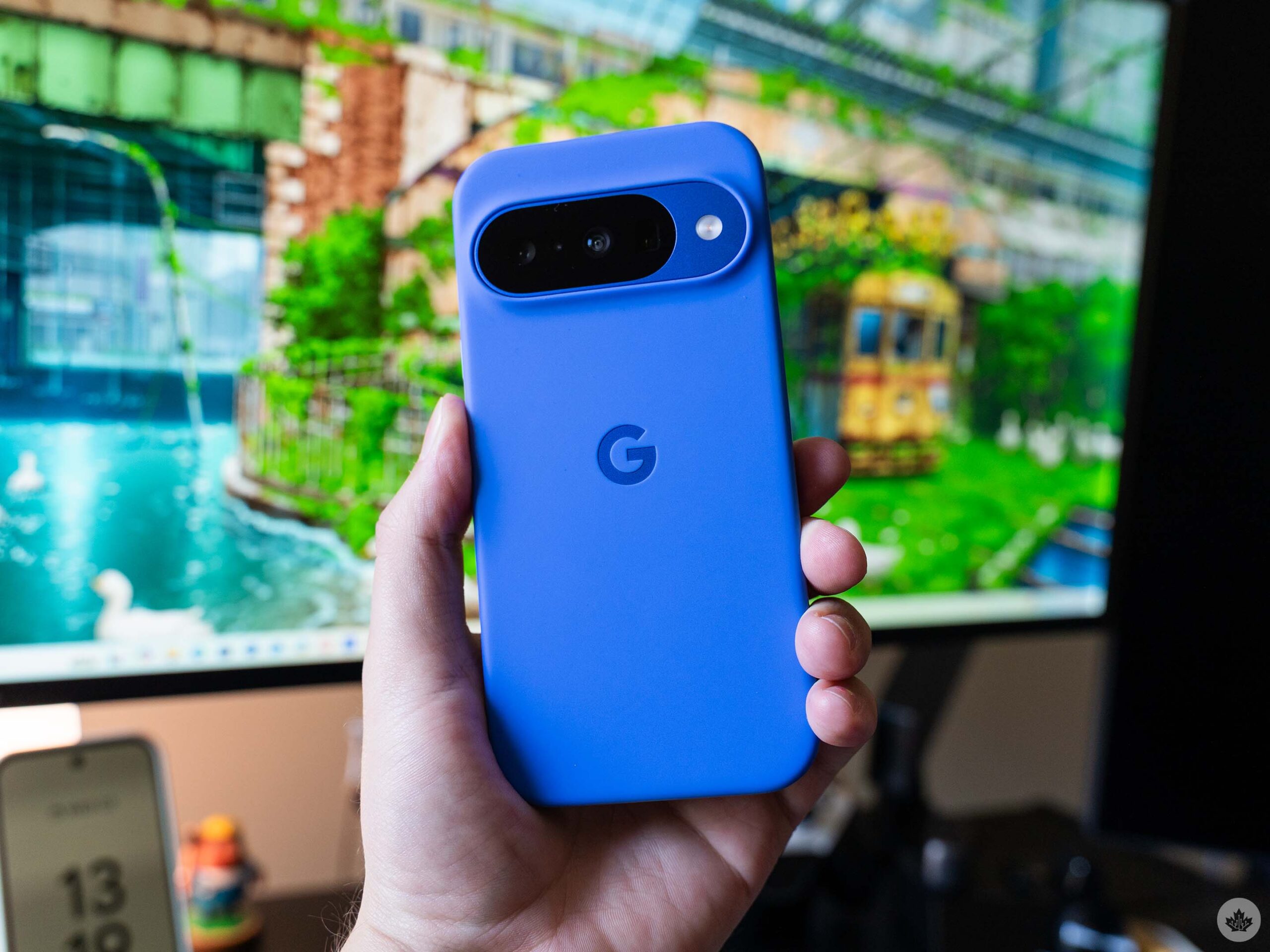
Google’s Pixel case this year feels better and supports Pixelsnap.
However, more specific questions didn’t work. In another test, I had an event in my calendar for when our new couch would be delivered, but texts asking me about the delivery didn’t trigger Magic Cue. Later, when I called customer service with a warranty question, Magic Cue appeared in the dialer with access to an email about the couch, but instead of grabbing the receipt with helpful info like the order number, it grabbed the email asking me to review my purchase.
In fact, over the week and a half I’ve been using the Pixel 10, I’ve only had a handful of Magic Cue suggestions appear that weren’t intentionally triggered, and none of them have actually been useful. Moreover, Google outlined other places where Magic Cue should show up, such as in the weather app, the keyboard, or in the new Daily Hub, but none of these interactions have actually happened for me (and the new Daily Hub hasn’t appeared on my Pixel 10 at all).
It’s possible that Magic Cue needs more time on my phone to get useful. Maybe in a month or two, I’ll feel more positive about the feature. But right now, it barely shows up and rarely works well when it does. As it stands, Magic Cue is not a reason to buy the Pixel 10.
Other new AI features
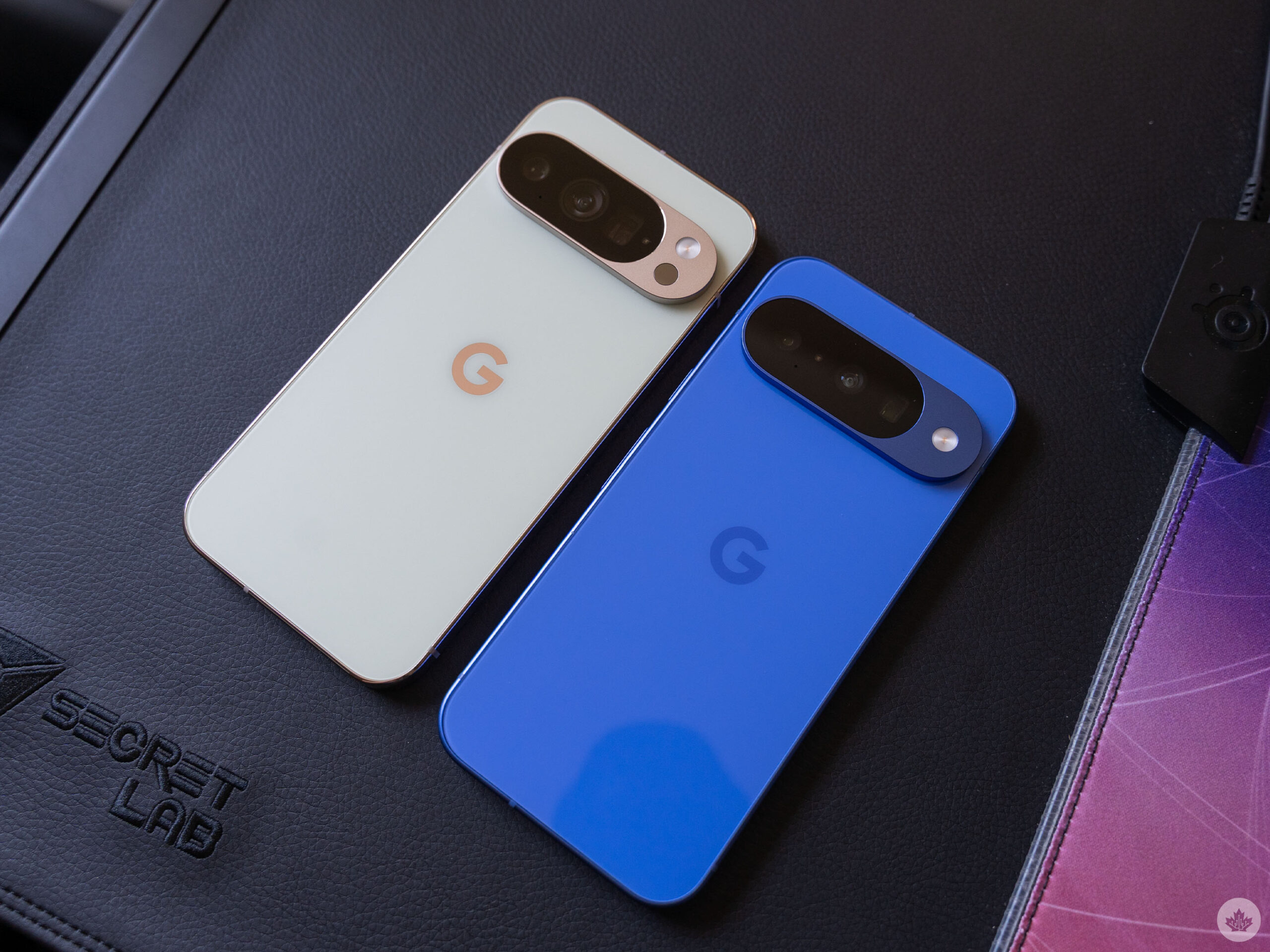
Google Pixel 10 Pro (left) and Pixel 10 (right).
Magic Cue is but one of many new AI features on the Pixel 10. I’ll run through other new features quickly, though I’ve only actually been able to try a few of them.
The phone app has a voice translation feature built in, which sounds handy, but I haven’t had a chance to test it yet. The app now also has a ‘Take a Message’ feature, which can transcribe missed or declined calls. However, according to Google’s support document, this feature isn’t available in Canada, so I didn’t get to try it either. (However, you can get similar features through your carrier if you’re willing to pay for it.)
The Pixel 10 series ships with a new Journal app infused with AI features. I don’t really journal much, and when I do, I prefer writing by hand, so the Journal app didn’t spark interest from me. But if you’re into journaling on your phone, it seems like a decent option.
The Pixel Screenshots and Studio apps got improvements, as did some generative AI writing features in Gboard. Google said it upgraded voice dictation in Gboard as well, enabling more natural-language text editing. Pixel’s voice dictation has always been top-tier, so these improvements have made it even better. For some reason, Google also added the ability to generate music with AI in the Recorder app, but this didn’t show up on my Pixel 10.
Megapixel smackdown
There’s one more AI feature worth mentioning, and that’s Camera Coach. It uses Gemini models to guide users through taking better photos. It leverages the initial scene you point the camera at to offer suggestions, including ways to improve the framing, changing your positioning, and more.
While I really like the idea, and it seems to work well, it’s absolutely not a feature for me. And that’s totally fine! I think this will be great for people who maybe aren’t tech savvy or don’t know a lot about photography, as it helps guide them to taking better photos.
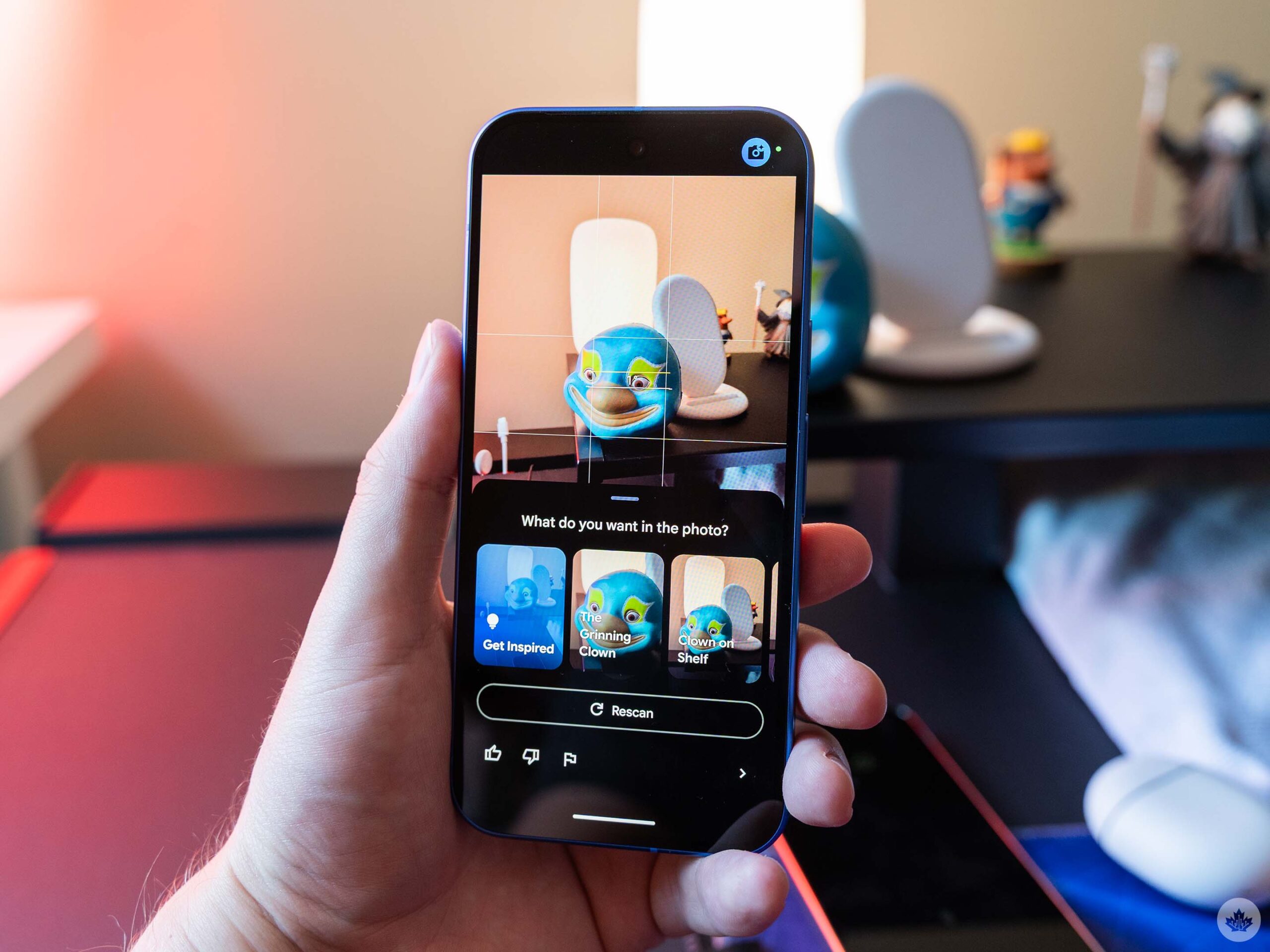
Camera Coach uses AI to guide people to take better photos.
Aside from Camera Coach, the Pixel 10 offers some notable changes compared to previous Pixels. Last year, the Pixel 9 and 9 Pro had the same rear camera hardware, with the main difference being that the Pixel 9 did not have a telephoto camera. This year, Google added a telephoto camera to the Pixel 10, but also downgraded the other two cameras.
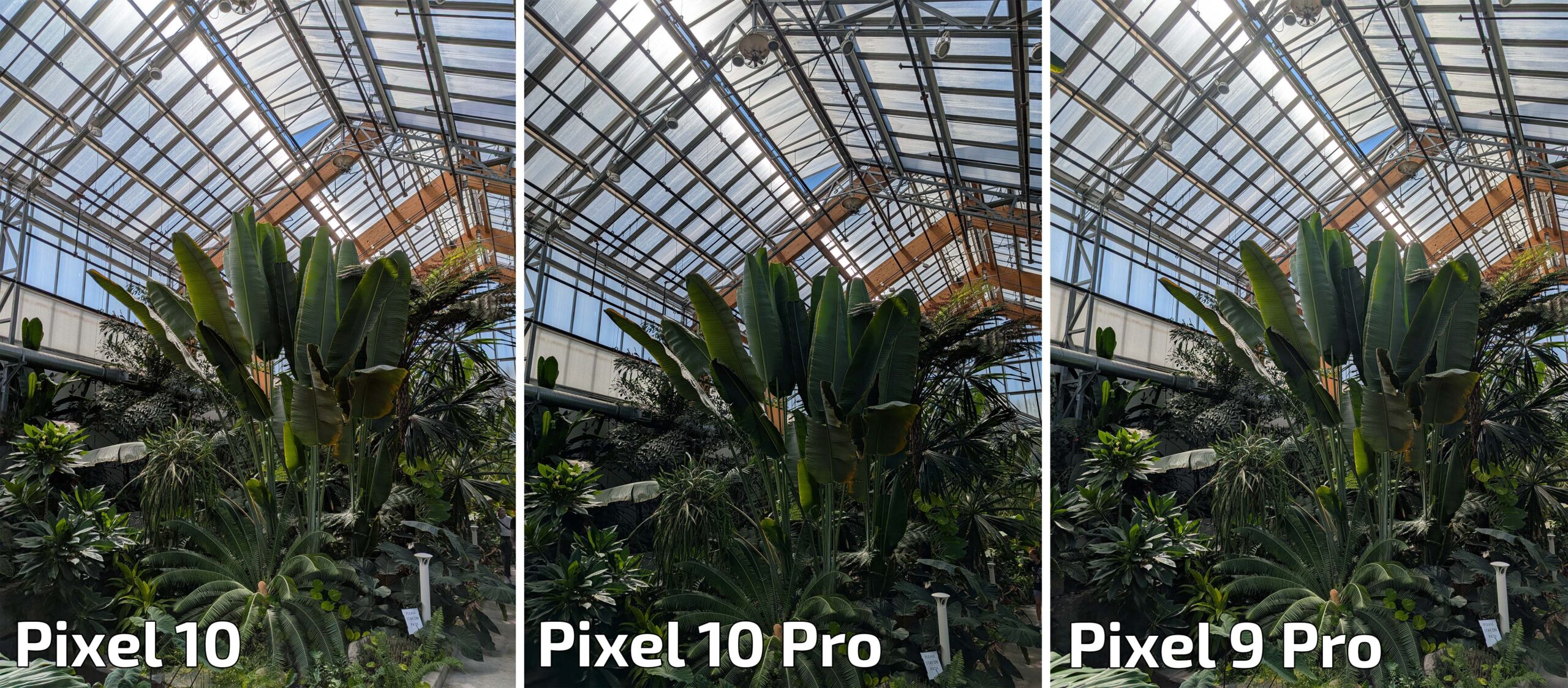
Main camera comparison
Instead of a 50-megapixel main camera, the Pixel 10 sports the same 48-megapixel primary camera as the Pixel 9 Pro Fold. It also swaps the 48-megapixel ultrawide camera for a 13-megapixel ultrawide camera. Finally, the Pixel 10’s telephoto camera sports a 10.8-megapixel sensor instead of the 48-megapixel one on the Pixel 10 Pro.

Ultrawide camera comparison
On paper, the camera hardware doesn’t look great. However, megapixels aren’t everything, and I was generally impressed with the output from the Pixel 10 cameras. In head-to-head comparisons, the Pixel 10’s 48-megapixel main shooter produces results close enough to the Pixel 10 Pro’s 50-megapixel primary camera that you really need to dig deep to find a difference. I think the Pixel 10 Pro retains some detail a little better than the Pixel 10, but generally both main cameras are great.
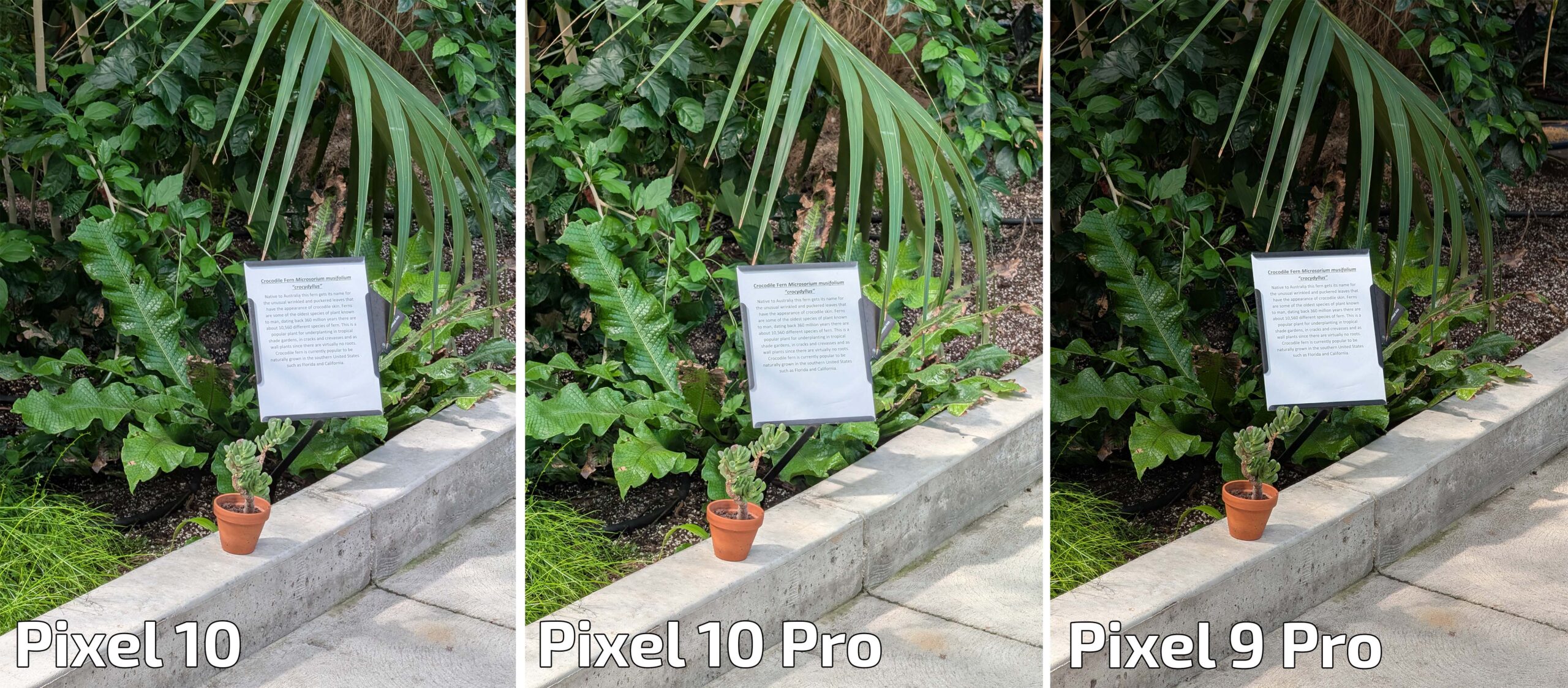
5x telephoto camera comparison.
Similarly, the Pixel 10’s telephoto camera put out good enough shots that I was willing to forgive the lower megapixel count. In some scenarios, you’ll get more detail out of the Pixel 10 Pro, and the 10 Pro allows for up to 100x zoom (leveraging AI models to produce frankly mediocre results) while the Pixel 10 caps out at 20x. Both phones, however, offer 5x optical zoom and at that point, the Pixel 10 is good enough. The 10 Pro is better, retaining more detail overall and working better in poor lighting, but the Pixel 10 is absolutely good enough. That alone is, I think, enough reason to say the Pixel 10 is probably the best option for most people.
The Pixel 10 and 10 Pro are incredibly similar, with the camera hardware being one of the few true differentiators. But with the Pixel 10 offering similar camera performance to the 10 Pro with worse hardware at a lower price, I think it’s the clear option. Unless you have a need for the higher-end camera hardware on the Pro line, the Pixel 10 will do just fine.
Should you buy a Pixel 10?
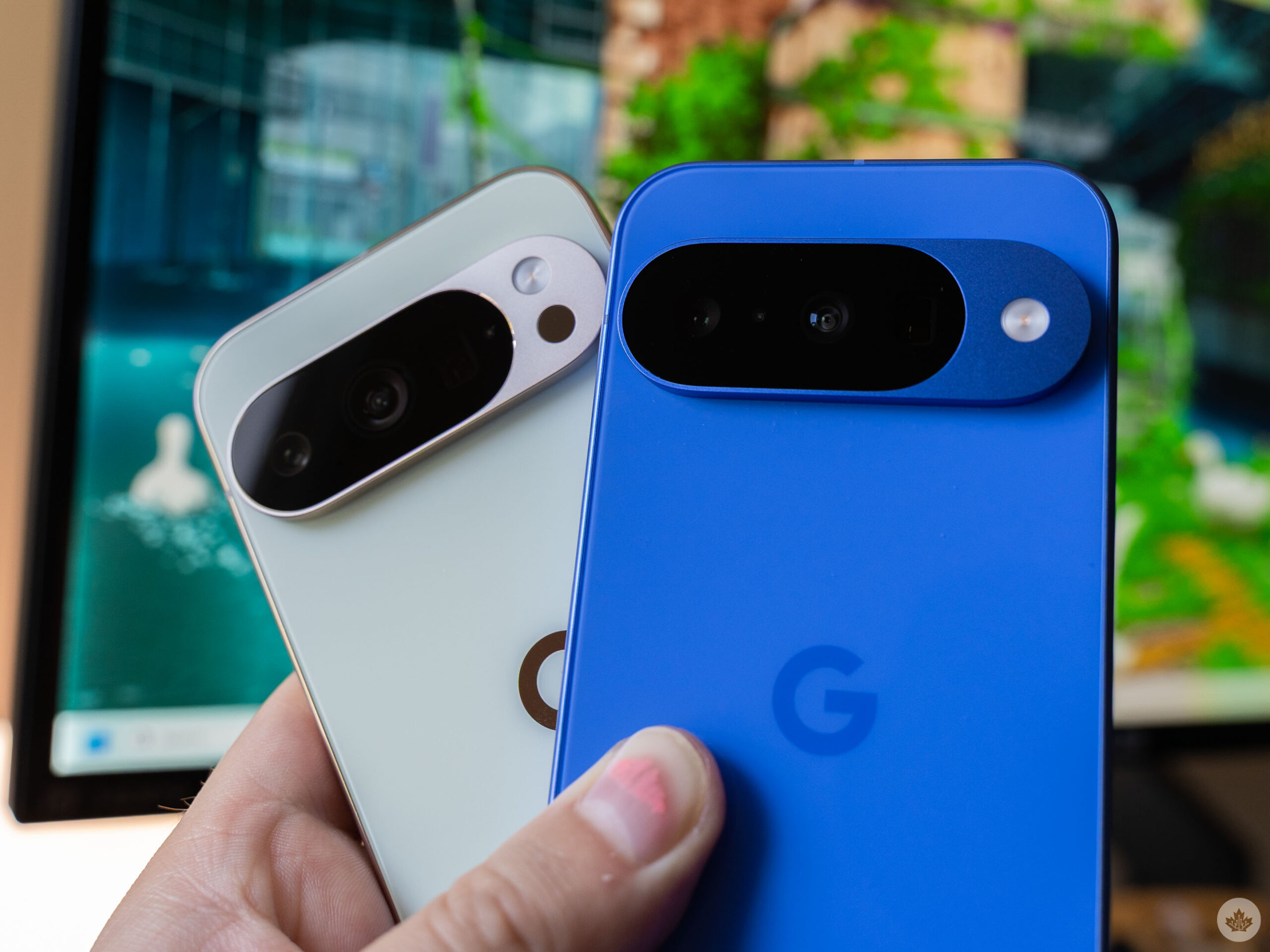
Pixel 10 Pro (left) and Pixel 10 (right).
Despite my harsh critiques of some aspects of the Pixel 10, I actually really like the phone. I’ve been a Pixel user for years and there are a lot of things I like about the phone series – the Pixel 10 takes all of that and tunes it up. Sure, it’s not the best-performing phone on the market, but it’s a step up from previous Pixels. Many of the new AI features aren’t as good as promised, but the features I already like and use are as good as ever.
But while I really like the phone, it feels tough to recommend. For starters, it feels more like a Pixel 9.5, offering several small improvements to what was already a solid phone. Moreover, if you have a recent Pixel – like a 9, 8, or even a 7 – I don’t think the Pixel 10 adds anything compelling to the experience. Magic Cue was supposed to be that headline feature to draw people in, but it doesn’t live up to the hype.
Ultimately, my thoughts come down to this. The Pixel 10 is a solid phone, especially for previous Pixel owners. I also think the Pixel 10 is a solid entry point for someone looking to make the jump to Pixel from another brand. However, it’s only worth getting if you’re already in need of an update, but if you have a phone that’s a couple years old, I don’t think the Pixel 10 offers a compelling reason to upgrade.
The Pixel 10 starts at $1,099 in Canada for the 128GB model, making it slightly cheaper than the iPhone 16 ($1,129) and the Galaxy S25 ($1,199). While both those phones offer better performance, especially in taxing use cases like gaming, the Pixel 10 still works well. It also offers decent battery life, a solid camera experience, and some decent ‘intelligence’ features. While I hold out hope that Magic Cue will improve, I wouldn’t recommend buying the Pixel 10 just for that feature alone.
MobileSyrup may earn a commission from purchases made via our links, which helps fund the journalism we provide free on our website. These links do not influence our editorial content. Support us here.