
The new Vision Pro runs a little snappier and has launched alongside a new band that helps distribute the weight of the headset more evenly. Ultimately, it doesn’t change things much from the previous version, but two years into the Vision Pro’s life cycle, there is a lot to unpack about the product in general.
First and foremost, loading times are practically cut in half, which is saying something, considering the M2 Vision Pro wasn’t slow by any means. The slightly more noticeable upgrade is that the new chip’s graphics engine can help render more pixels in your area of focus. This is a bit confusing, but the Vision Pro has always used a form of tech called ‘foveated rendering,’ which means that the GPU renders a sharper image where you’re looking. With the new chip, that section is a little sharper. I also think this works a little faster. I could notice the foveated rendering kick in when glancing down at my keyboard on the older headset, but in the new one, I see it much less.
On the new band, you can now pull the dial out to adjust the tension of the top strap. Click it back in to adjust the rear part. It does make the headset heavier overall, but it’s much more comfortable on your face.
It’s not as sharp as if the cameras were physically upgraded, but it helps make the excellent display inside the headset a little better, and I’m all for that. It also makes using your iPhone with the headset on a little more possible. It’s still weird, but I can interact and read small text a lot easier in the M5 Vision Pro. The cameras are still working hard to clean up the image in low light, but VisionOS 26 helps a lot with this. Since launch, the passthrough has gotten clearer in dimly lit areas. You can still see it working, but it now looks like a fine grain, as opposed to the garbled mess you’d often see before.
There are other minor improvements in visionOS 26 that make the entire operating system feel a little more refined. It now plays nicer with all keyboards, it’s easier to use your iPhone while in the headset, and holy crap, do Personas look incredible now. It’s scary how good they can be. Even smaller things, such as auto-scrolling with your eyes, Safari’s updates, as well as folders on the home page, help remove some common pain points from the system.
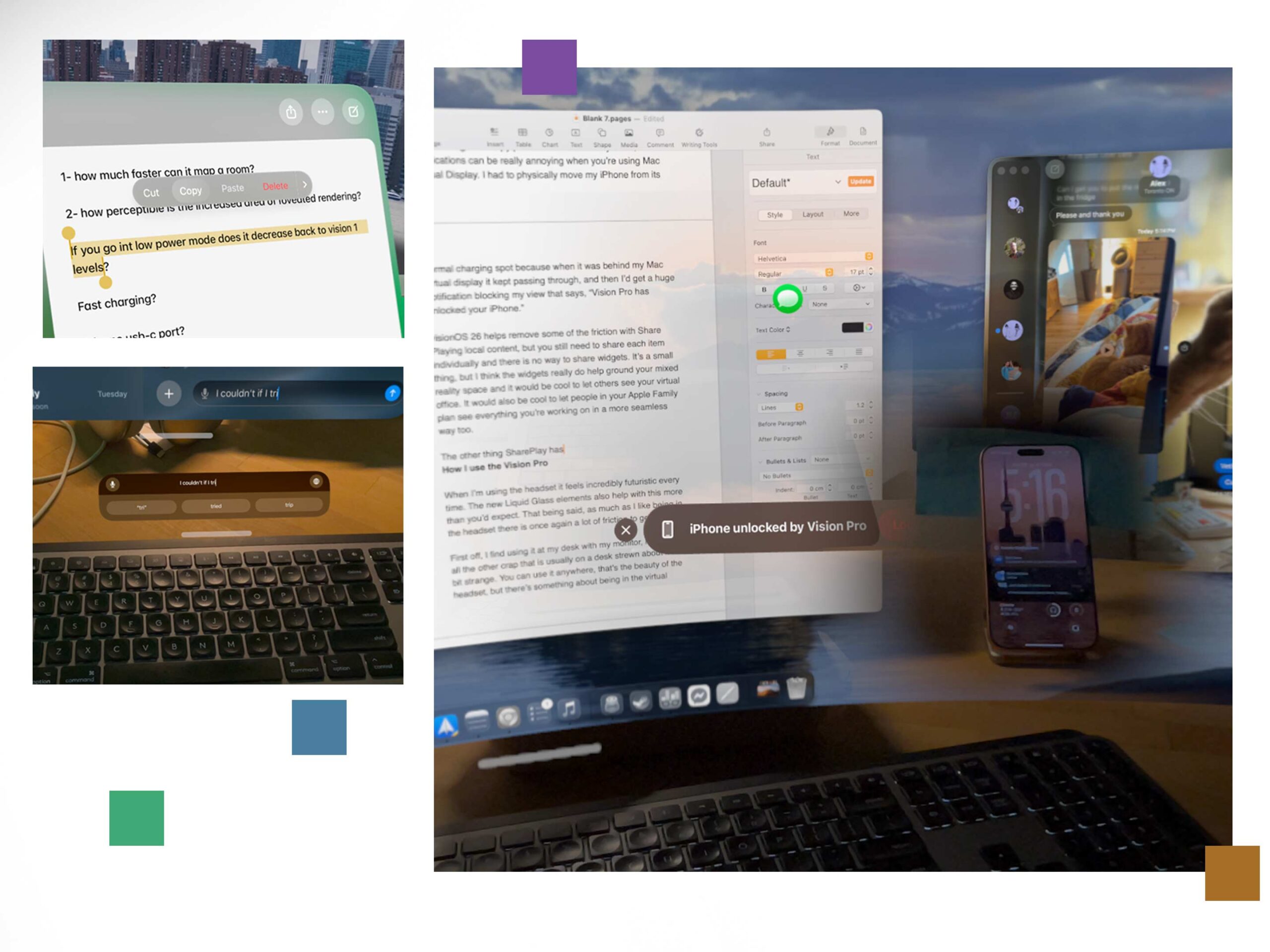
VisionOS 26 is an effective update, and it helps the system feel a little less like a beta. However, the company still needs to find a better way to perform simple tasks, such as copying and pasting text without a keyboard. Additionally, notifications can be extremely annoying when using Mac Virtual Display. I had to physically move my iPhone from its normal charging spot because when it was behind my Mac’s virtual display, it kept passing through, and then I’d get a huge notification blocking my view that says, “Vision Pro has unlocked your iPhone.” Then, because I’d look at it, my Mac’s cursor would use Universal Control to switch over to the Vision Pro, and it would be even more frustrating to find it again. Don’t get me wrong, there are times when all of this works together exactly how Apple intended, and those times are capital A Amazing, but other times it’s a bit messy.
The new OS also helps remove some of the friction with Share Playing local content, but you still need to share each item individually, and there is no way to share widgets. It’s a small thing, but I think the widgets really do help ground your mixed reality space, and it would be cool to let others see your virtual office. It would also be nice to let people in your Apple Family see everything you’re working on more seamlessly.
How I use the Vision Pro
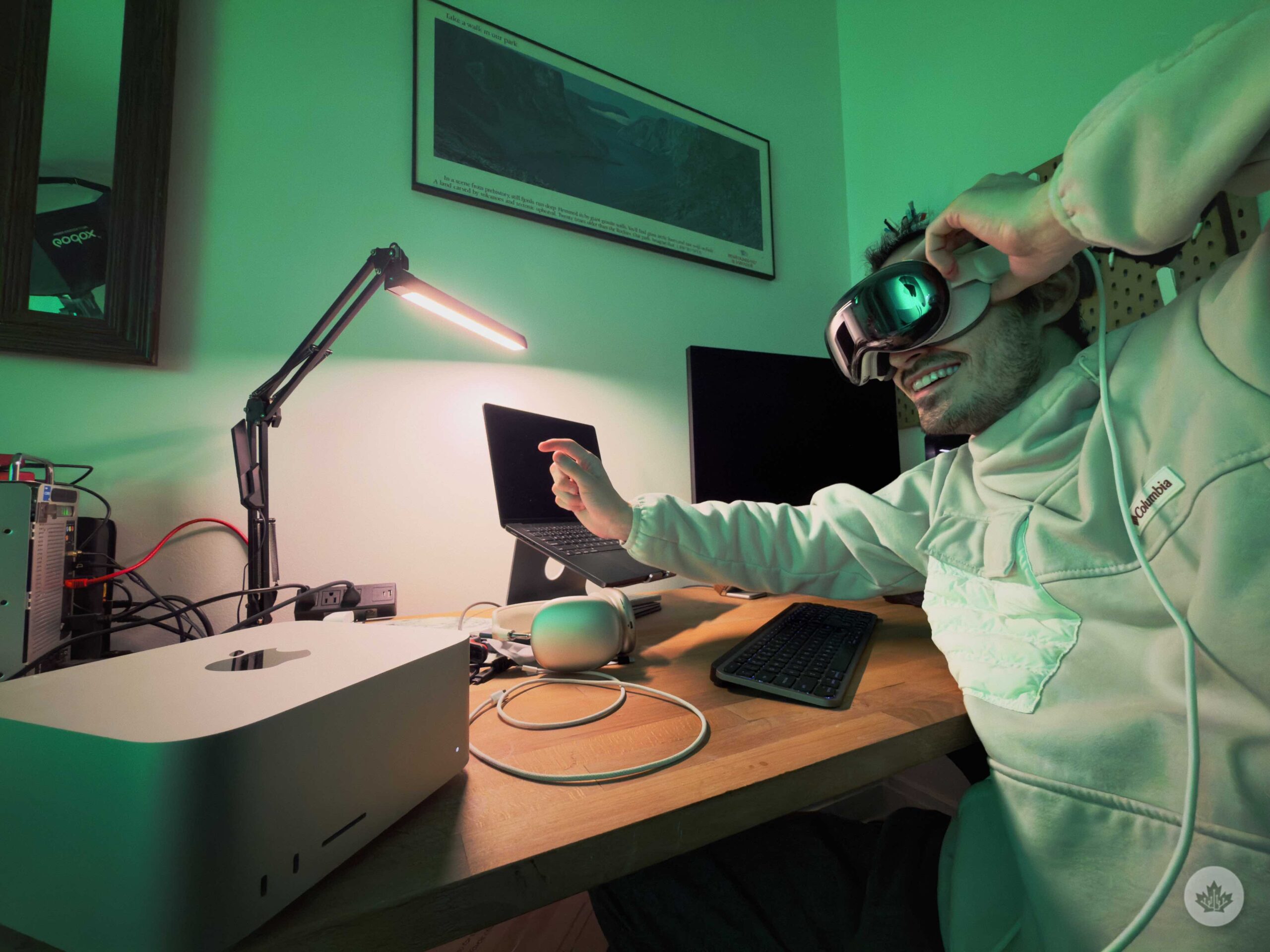
The new M5 chip is more efficient, allowing you to use the Vision Pro for around three hours, roughly 30 minutes longer than the M2 model.
When I’m using the headset, it feels incredibly futuristic every single time. The new Liquid Glass elements could be more glassy, but overall, the updated 3D effects add a nice wow-factor to the interface. In the new update, using iMessage with a custom background looks incredible, thanks to the impact of depth and parallax that can only be achieved in mixed reality. That being said, as much as I like being in the headset, there is still a lot of friction to getting it on.
This is partly my fault and partly the fact that we live in a computer-centric world. Because of this, I don’t really keep my Vision Pro out and on my desk. Instead, it sits in its case on the shelf behind me. It’s still close by, but the fact that it’s not within arm’s reach, like my iPhone and MacBook, means I reach for it less. I’ve tried to use it more over the past year, since I’ve had to test the M2 Vision Pro, but I’ve rarely found myself wanting to strap this thing to my face when I could just crack open a laptop.
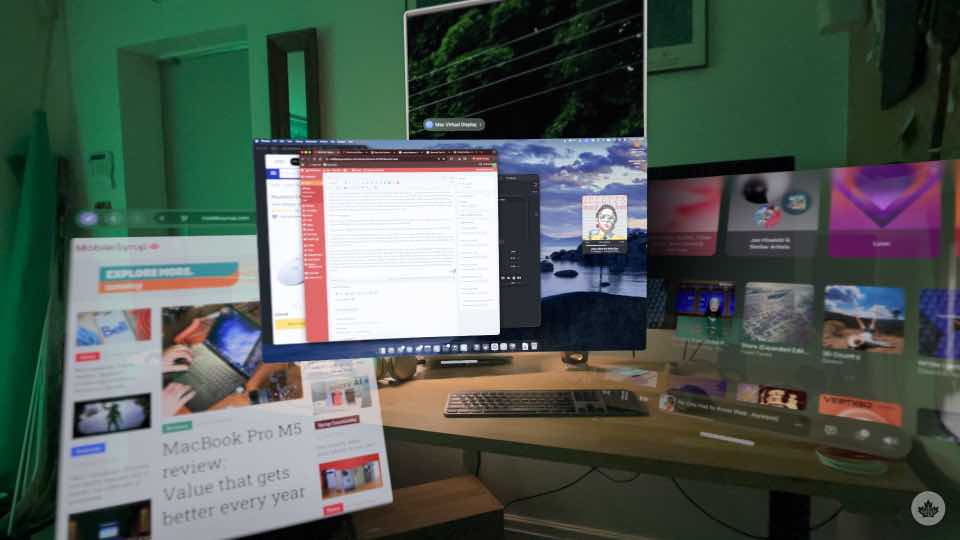
I find using it at my desk with my monitor, laptop, and all the other crap that is usually strewn about feels a bit strange too. You can use it anywhere; that’s the beauty of the headset, but there’s something about being in the virtual space and still having a giant black rectangle in front of me that just feels dumb and looks annoying. To remedy this, I usually dial about 25 per cent into a virtual workspace, but then that messes up the new widgets, which I’d also like to see (and share with nearby people, but I already said too much about that).
These are definitely first-world problems, but I think they illustrate the peculiar middle ground the headset occupies. When I reviewed the first Vision Pro, I cleared everything off my desk and made a point to only use Mac Virtual Display for photo editing. That experience was like living in the future, but I don’t think it’s the reality for most people. The computer comes first, and if the computer comes first, where exactly does mixed reality fit?
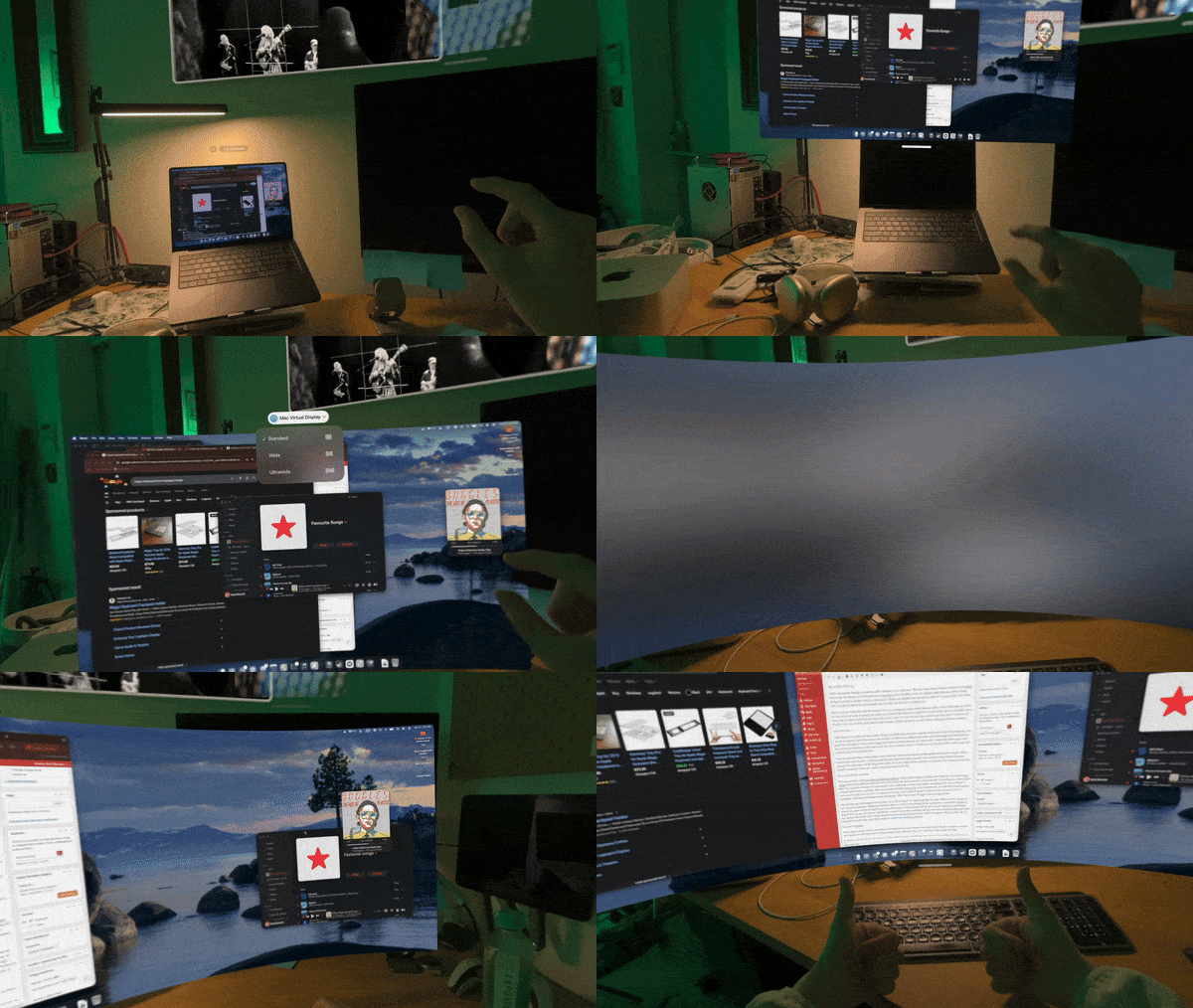
If you only have a MacBook, this is the best way to get a larger screen, but it’s also the most expensive, so there isn’t really a way to recommend it to anyone besides nerds with 5K to burn, and I don’t know many people like that.
This time around, I tried a few days of mainlining visionOS, but the lack of apps and dealing with iPad-style text selection got old fast without the ability to touch the screen. So I gave in and spent most of my time using Mac Virtual Display. I’d be lying if I said it was mediocre, because it’s outstanding to have a giant, high-res, ultra-wide display wrapping around you. I thought I wouldn’t like it because real ultra wides are too wide and usually have to sit too far from the user, but with Mac Virtual Display, you can pull it right up to your face or expand it to be huge, and it solves all qualms I might have had. However, there is something a little backwards about buying this headset, which runs its own OS, just to pass through my Mac.
After all that said, I still friggin love this thing. It’s just so exciting to be inside, and when you play within its limits, you get an awe-inspiring experience. Sitting in the headset right now, I have all my floating windows around me, a small Mac Display in front of me, music blaring through the fantastic audio system, and I’m typing with my feet up on my desk and a small Magic Keyboard on my lap. It’s awesome, but without a mouse, I am mostly navigating with the arrow keys, which got old hours ago. Apple really should make a Magic Keyboard with a trackpad integrated to use with the headset on the go, but for now, it looks like I’ll need to buy one of these cradles to combine my existing accessories.
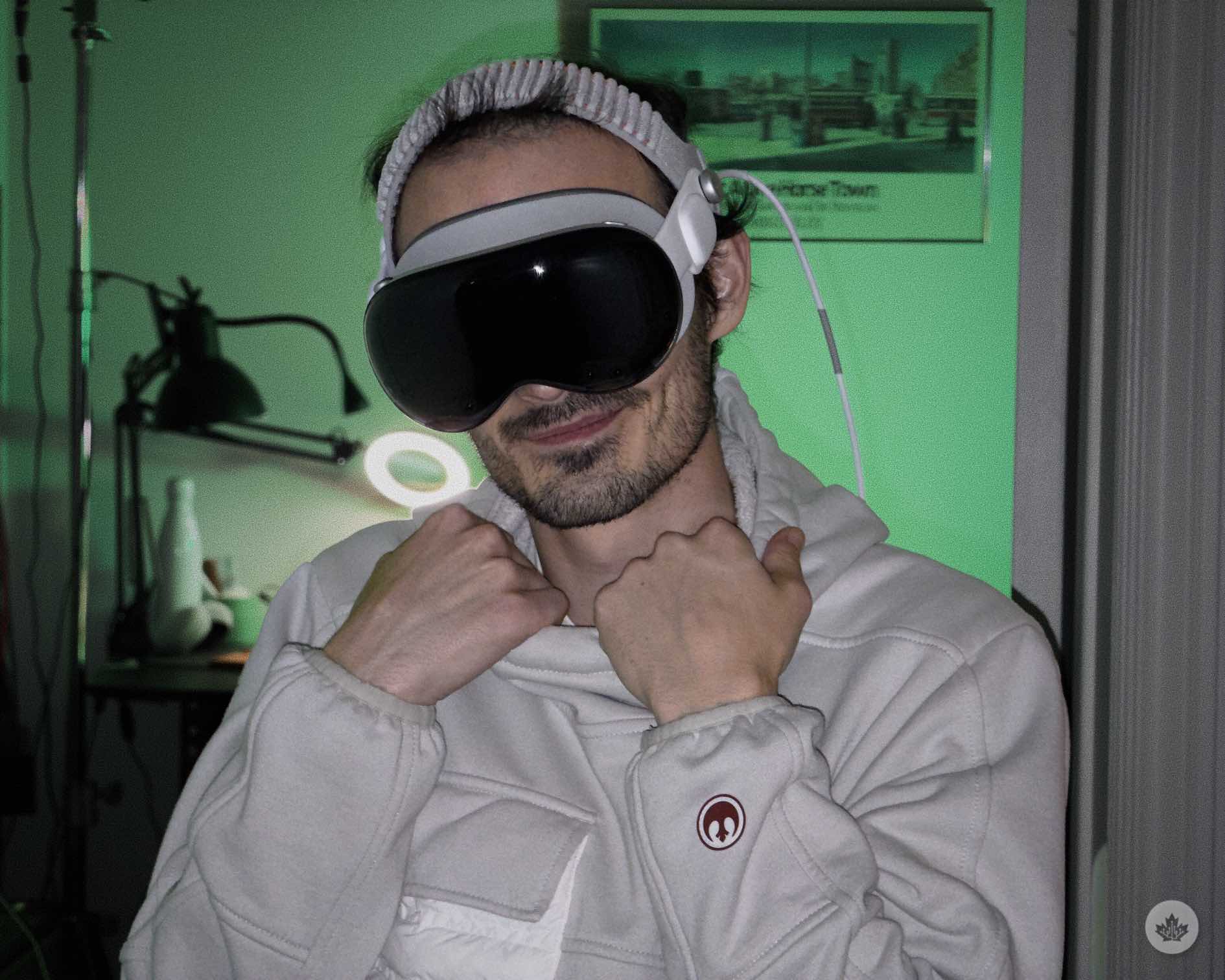
While the new band is a lot more comfortable, it does ruffle your hair a little more than the original.
So while I’ve rarely pulled the Vision Pro out for work over the past year, travelling with the headset is a different story. Since I’m usually flying to places for my job, I’m often alone, which is a great time to isolate myself in a headset. Movies on flights are incredible, and when I’m in work mode, it provides a giant Mac desktop I can use in hotel rooms. The work portion is great, granted, this is also usually just using Mac Virtual Display. Movies are another story. They’re amazing in here, but unless you use Apple TV or Disney+, getting media on here can be extremely time-consuming. (I’ll get into that later on.)
The other major use case for me is gaming. I found a TestFlight version of the PC game streaming tool Moonlight, and I played pretty much all of Red Dead Redemption 2 on a giant 4:3 screen pulled in close to fill out my entire field of view. Waking up early on the weekends, strapping on the headset and getting lost in the West was an experience I won’t soon forget. Playing in first-person view felt like I was Arthur Morgan, and I was thankful the headset was able to hide my tears at the very end of the story.
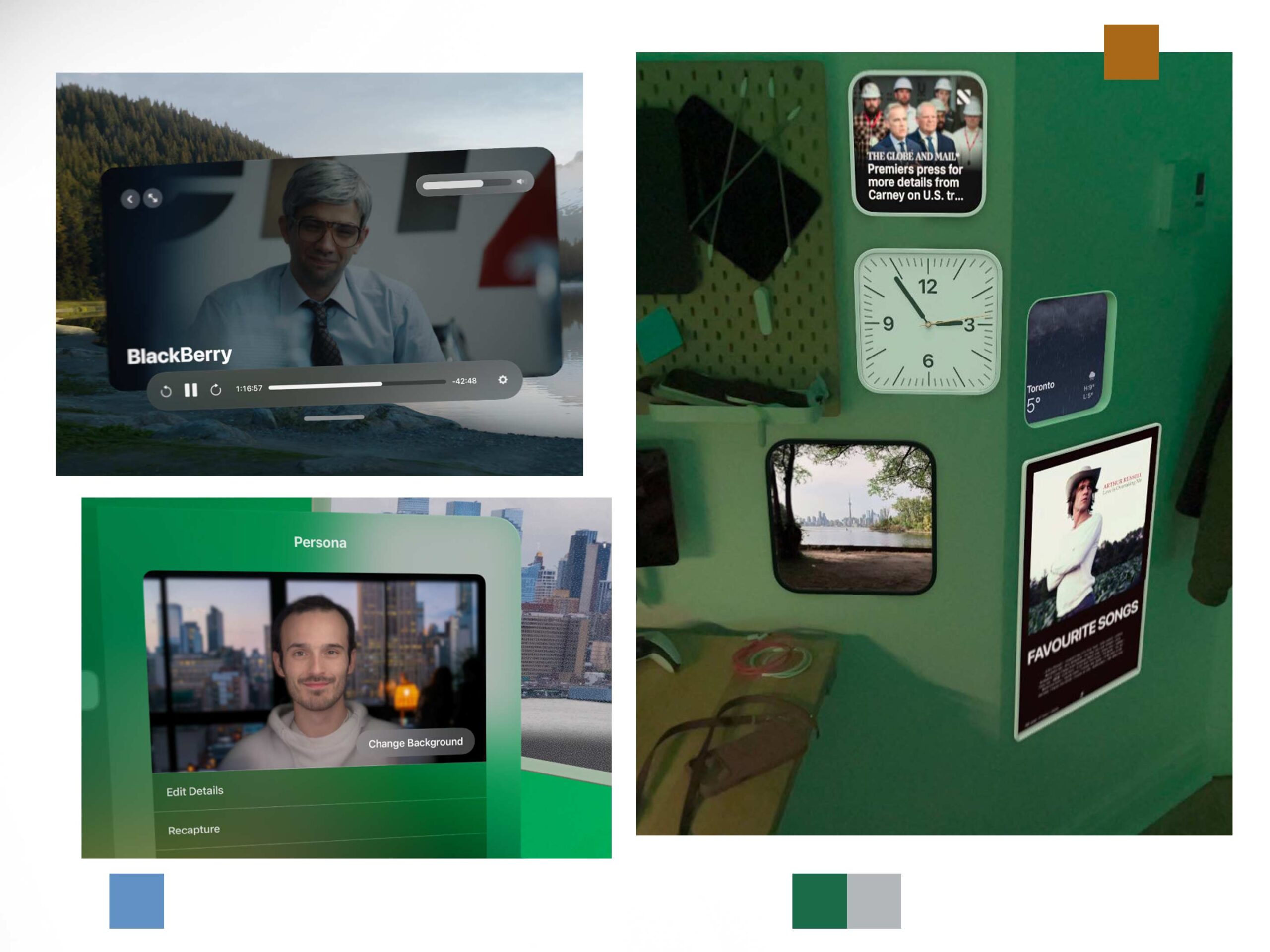
The new widgets look fantastic. They add some cool functionality and whimsy to visionOS.
However, as good as it was, Moonlight also illustrates two common Vision Pro problems. One, it relies on an expensive Windows computer to be useful, much like working with a Mac Virtual Display, and secondly, there aren’t many apps available. And, the ones that do exist are generally smaller affairs from indie devs with questionable long-term support. Even polished apps like Luminar AI’s photo editing tool is poorly designed for an interface as finicky as VisionOS. There are all kinds of fun sliders, so it’s a cool tech demo, but I’d be shocked if anyone actually gets any editing work done in it. Even trying to set a white balance was super frustrating because, without a mouse, there was no way to be precise.
I’m also a big Plex user, and while there are about five or six third-party Plex apps on the headset, each one is extremely mid. I have yet to find a reliable way to download offline media, as most apps seem to have issues with cutting off movies halfway or experiencing other failed download scenarios. On my home network, things are fine, but I have an OLED TV at home, so I rarely feel the need to watch something in the headset instead. Therefore, when I’m on the go, I need to move files from my Windows server with an SD card to a Mac, and then I AirDrop those files one at a time to the Vision, and honestly, moving 40GB movie files this way is a huge pain in the ass. I can’t even access my home server via the Files app on Vision Pro, which is something I can do on my iPhone and basically every other Apple product. Instead, I have to use Infuse to pull files down over my network, and that seems to work somewhat, but I had to pay for the app to access functionality built into every other Apple product by default. Ultimately, I’m begging Apple to find some way to add a USB-C port for data transfer to the next Vision.
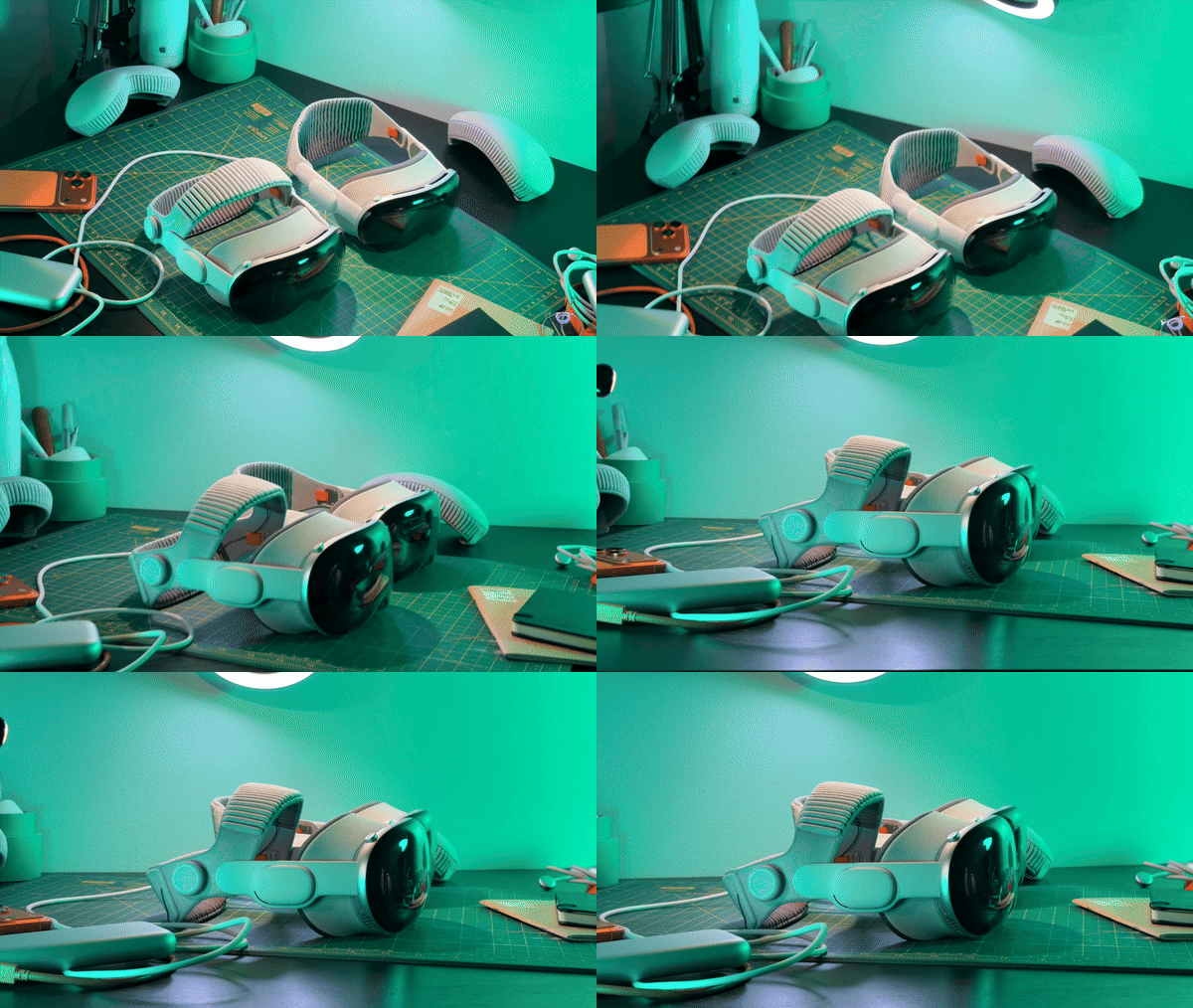
At the end of the day, there isn’t a better headset on the market. While this one is heavy, the new strap makes it more comfortable to wear, and both the hardware and software design surpass the new Samsung XR headset. It’s a beautiful machine running beautiful software. If you know, not just think, but truly know that you want to spend a lot of time in mixed reality, this is the best way to do it.
But even though I’m a huge nerd, I find it hard to justify. When I’m travelling, I get a very similar experience from my 13-inch iPad for movies, and I can even Sidecar it to give my Mac a little extra real estate. Plus, it’s a lot easier to slip into a bag. Sure, I can’t game on an iPad the same way, but most of the time I do, my fiancé is still asleep, so I’m still sitting on my couch the same way I would be if I were gaming on the TV. And then, finally, as I alluded to above, I already have a monitor at my desk, and plugging my MacBook into it provides a great work experience. The Vision Pro is more exciting and technically more impressive than all the other Apple products, but it has yet to find a way to justify its high price tag beyond just being the coolest computer in the world.
You can buy the M5 Vision Pro from Apple for $4,999. If you already have a headset, you can buy the new Dual Knit band for $139.
MobileSyrup may earn a commission from purchases made via our links, which helps fund the journalism we provide free on our website. These links do not influence our editorial content. Support us here.